


If you no longer remember the password to your Client Panel, you can easily recover it!
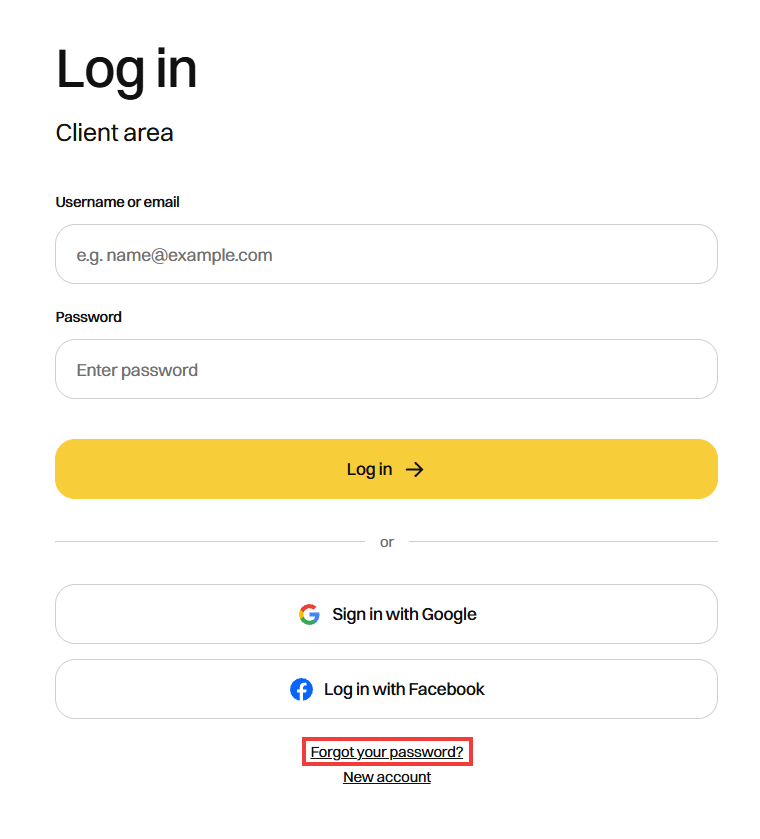
- Go to the Client Panel page: https://cyberfolks.com/client-login-panel/
- Click Forgot your password? under the login form.
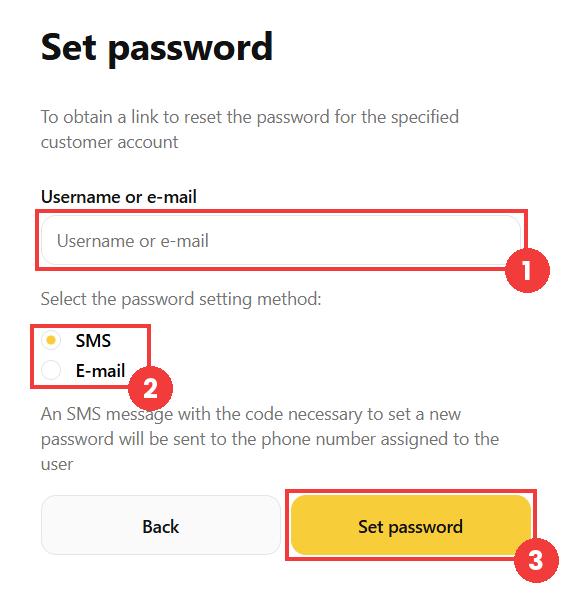
- In the Username or e-mail (1) field, enter the username or email address linked to your client account.
- Then choose the password reset method (2): SMS or E-mail.
- Click the Set password button (3) to start the procedure.
- Complete the procedure according to the selected method:
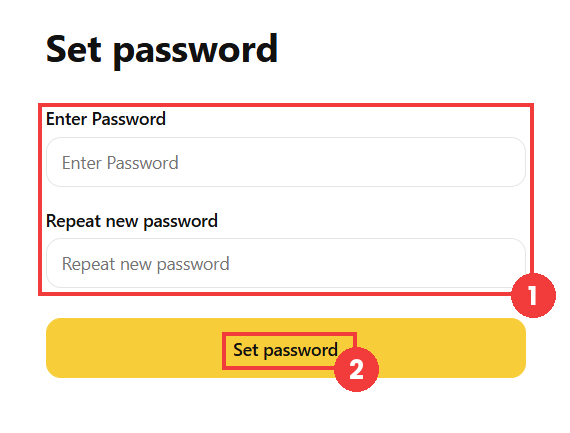
- On the page that appears, enter the new password twice (1) and save with the Set password button (2).
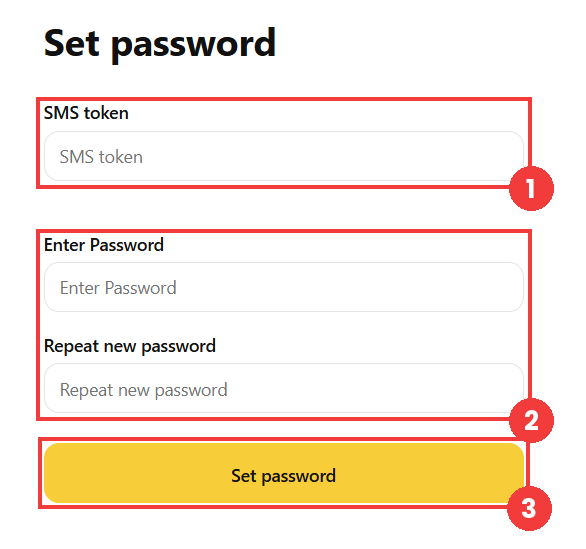
SMS method: you will receive a code on the phone number associated with your account. Enter this code in the SMS token (1) field, then enter the new password twice (2). Confirm with the Set password button (3).
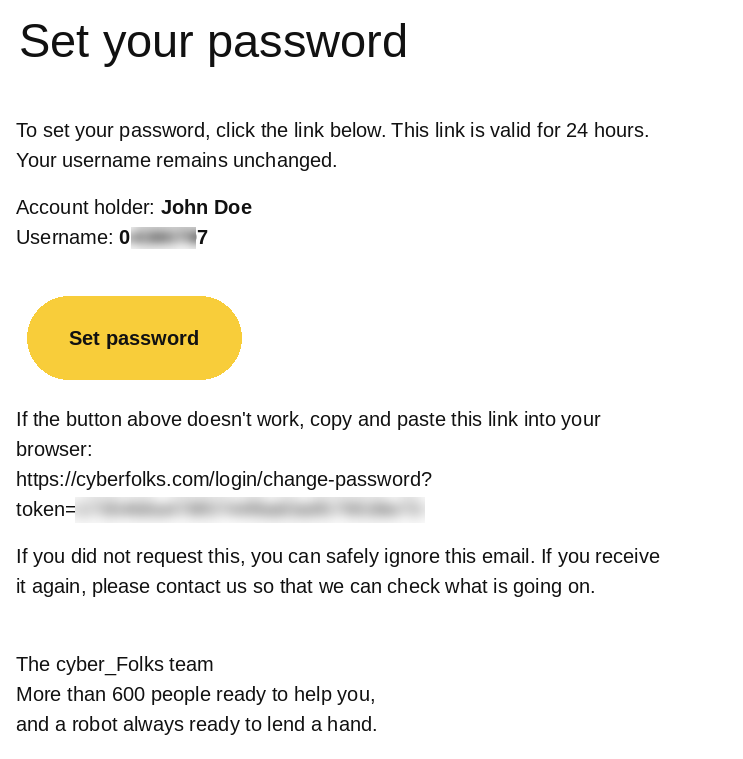
E-mail method: open the message sent by the system and click the Set password button in it.
Done! You can now log in with your new password.
