


Domain transfer
Your domain deserves better. Join over 250,000 hosting customers across Europe who trust cyber_Folks. Manage your domains in one place, get expert support when you need it, and focus on growing your business. Switching is easier than you think.

10,000+
PrestaShop stores running on our infrastucture
Your domain stays yours. Your business keeps running.

4.8/5 on Trustpilot
Based on customer reviews
Would you recommend cyber_Folks?
Across Europe, we ask customers for feedback more than 70,000 times every month. And we listen. If something goes wrong, our support team is notified within 0.2 seconds, helping us act fast and make our service better for you.
I have very few skills in this area, but the assistant made the difference – I managed to solve the issues I had trouble with.
Same domain, new registrar – business as usual
Your domain is more than a web address. It connects your store, your email and your customers. And when you run a business, every hour offline can mean abandoned baskets, missed messages and lost trust.
Transferring a domain should feel like changing the name on a lease, not moving the shop. Your address stays the same. Your customers still know where to find you. But DNS records matter: if an MX record goes missing, important emails may stop arriving.
That is why we focus on the details, from DNS settings to a smooth handover. Simple to start. Carefully managed.
What can go wrong during a transfer
— and how we help you avoid it
| What can go wrong | What we do about it |
|---|---|
| Your DNS records go missing when your previous registrar stops hosting the DNS zone | We help you check your existing A, MX, CNAME and TXT records before the move, so you know exactly which settings need to stay in place. |
| Your business email stops arriving after the transfer | We help you keep your MX, SPF, DKIM and DMARC settings consistent, so important messages, orders and invoices are less likely to be interrupted. |
| Your .fr transfer takes longer than expected | We explain the .fr approval process and what to check with your current registrar if the transfer is delayed. |
| You worry about losing the months you have already paid for | For many global domain extensions, a transfer normally adds one year to the current expiry date. Your existing paid registration time is retained. |
| Your domain expires unexpectedly | Set up auto-renewal and use expiry reminders to stay in control of your domain. One less deadline to worry about. |
| Someone tries to hijack your domain | Transfer lock and two-factor authentication add important layers of protection to your domain account. |
Why businesses choose to transfer to cyber_Folks
Keep your business online during the move
Your website, store and email should keep working while your domain is transferred to a new registrar. Keep the right DNS settings in place and the move need not interrupt your customers.
Keep your remaining registration period
For .com, .net and many other global domains, transferring usually adds a one-year renewal to your current expiry date. Your existing paid registration period stays yours.
Transferring a .fr domain? We know the process.
Your .fr domain matters to your brand in France. We can guide you through the approval steps, confirmation emails and what to do if your current registrar delays the transfer.
Extra protection for your domain
Your domain carries your brand, search history and business email. Transfer lock and two-factor authentication give your account an extra layer of protection.
People who understand online business
PrestaShop is part of the cyber_Folks group. That means we understand why domain reliability matters to shops, agencies and growing businesses — not just how DNS works.
Manage your domains and hosting in one place
Manage your domain alongside your hosting. If you run a PrestaShop store, you can connect it to our hosting with cyber_Boost — with one team to turn to when you need help.
How to transfer your domain
to cyber_Folks
Getting started takes just 5 minutes. The rest of the process is handled by the registrars, while your website and email can continue running with the right DNS settings.
Our advice: avoid changing nameservers at the same time as the transfer. Move your domain first, then update other services when you are ready.
Check if your domain is ready for transfer
Make sure your domain is active, check its expiry date and confirm you can access the registrant email address.
Unlock your domain
Turn off the transfer lock in your current registrar’s control panel, if required for your extension.
Get your authorisation code
Request your authorisation code, also known as an EPP code or AuthInfo.
Check your DNS settings
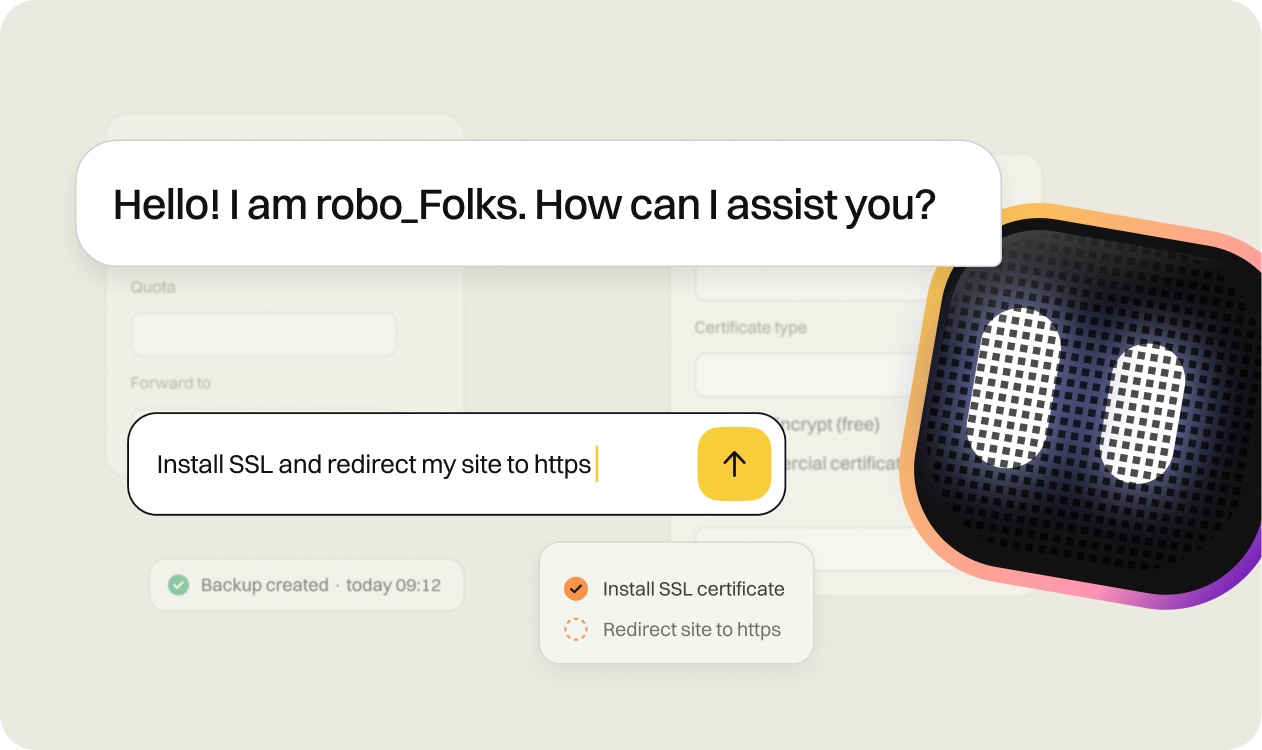
Save your A, MX, CNAME and TXT records before making changes. robo_Folks can help you check them.
Start your transfer
Enter your domain and authorisation code in the form above and complete your order.
Approve the transfer
Follow the approval instructions you receive by email, where required.
Keep your business moving
With the correct DNS configuration, your site and email can remain online. Once the transfer is complete, you will see your domain in the cyber_Folks panel.
Launching a new project?
Give it the right address
Already own your domain? Transfer it. Starting something new? Register a new one. Whether you are launching a brand, opening another store or protecting your name across markets, cyber_Folks makes it easy to manage your addresses together.
Check availability for .fr, .com or .eu in seconds, then keep your new domains alongside those you have transferred.
Tip: consider registering key variants of your brand name, such as .fr and .com or the version with a hyphen. Redirect them to your main domain to help customers find the right website.

Popular domain extensions
domain
.fr
From €4,99
domain
.com
From €7,99
domain
.eu
From €3,99
domain
.net
From €10,99
domain
.shop
From €39,00
Worried about your DNS settings? Just ask.
You do not have to figure it all out on your own. Before transferring your domain, get help with the settings that keep your website and email connected:
- chat with us on this page,
- send a message through our Contact page,
- chat in your control panel, where robo_Folks, our AI assistant, can help check your domain’s DNS records.
Manage your domain with confidence
Don’t have a domain yet?
Find the perfect domain name for your website and register it in just a few clicks.
Check →
How do I update my domain holder details?
Learn how to update the domain holder’s contact information.
Check →
How do I get the AuthInfo code for my domain?
Find out how to obtain the code needed to transfer your domain.
Check →
How do I add a domain to my hosting?
Follow a few simple steps to add your domain to the hosting panel.
Check →

Domain transfer – frequently asked questions
A domain transfer moves your domain from your current registrar to a new one, such as cyber_Folks. Your domain name stays the same, and you remain its registered holder. You can also keep your existing DNS setup. What changes is the company that manages your registration and renewals.
Register a domain if you need a new web address. Transfer it if you already own the name and want cyber_Folks to manage it. A transfer does not create a new domain or change its existing name. With your DNS records kept in place, your website and email can continue to work as before.
Yes. Changing registrar does not automatically mean moving your website or email. Your services can stay online as long as the correct nameservers and DNS records remain active.
If your current registrar also hosts your DNS zone, make sure it will remain available after the transfer. Check your A, MX, CNAME and TXT records before you begin.
The timing depends on your extension and registrar. A .fr domain transfer can be completed quickly once your current registrar approves it. Transfers of .com, .net and many other global domains usually take 5 to 7 days. Other country-code domains can take anything from minutes to several days.
Start by requesting your authorisation code (EPP code or AuthInfo) from your current registrar. Unlock the domain if necessary, enter your domain and code in the form above, and complete your order. Follow any approval instructions you receive by email.
For many global domains, the transfer normally includes a one-year renewal. That extra year is added to your current expiry date, so your existing paid time is retained. Country-code extensions such as .fr follow their own registry rules; check the terms shown for your extension in the transfer form.
No. A domain transfer changes the registrar responsible for your registration. Changing nameservers changes which DNS service is authoritative for your domain. They are separate tasks. For a smoother move, transfer your domain first and update your DNS setup later if needed.
Absolutely. Your website can stay with your current hosting provider while your domain moves to cyber_Folks. If you later decide to use our PrestaShop hosting with cyber_Boost, you can connect your domain then. One step at a time.
Yes. Transferring your domain does not change its registered holder. You keep control of the registration, subject to the extension’s rules and any applicable transfer restrictions. You can renew it, update its settings or transfer it again when eligible.
Because a domain is where your business starts. With more than 250,000 hosting customers across Europe and PrestaShop as part of the cyber_Folks group, we understand how much continuity matters. Whether you manage one website or dozens of client projects, you deserve a domain registrar that takes the details seriously.