


A Let’s Encrypt SSL certificate is free: it encrypts the connection to your site (address in https://) and renews automatically. Here is how to generate it in the hosting panel.
- Log in to your hosting panel: Log in to your new hosting service
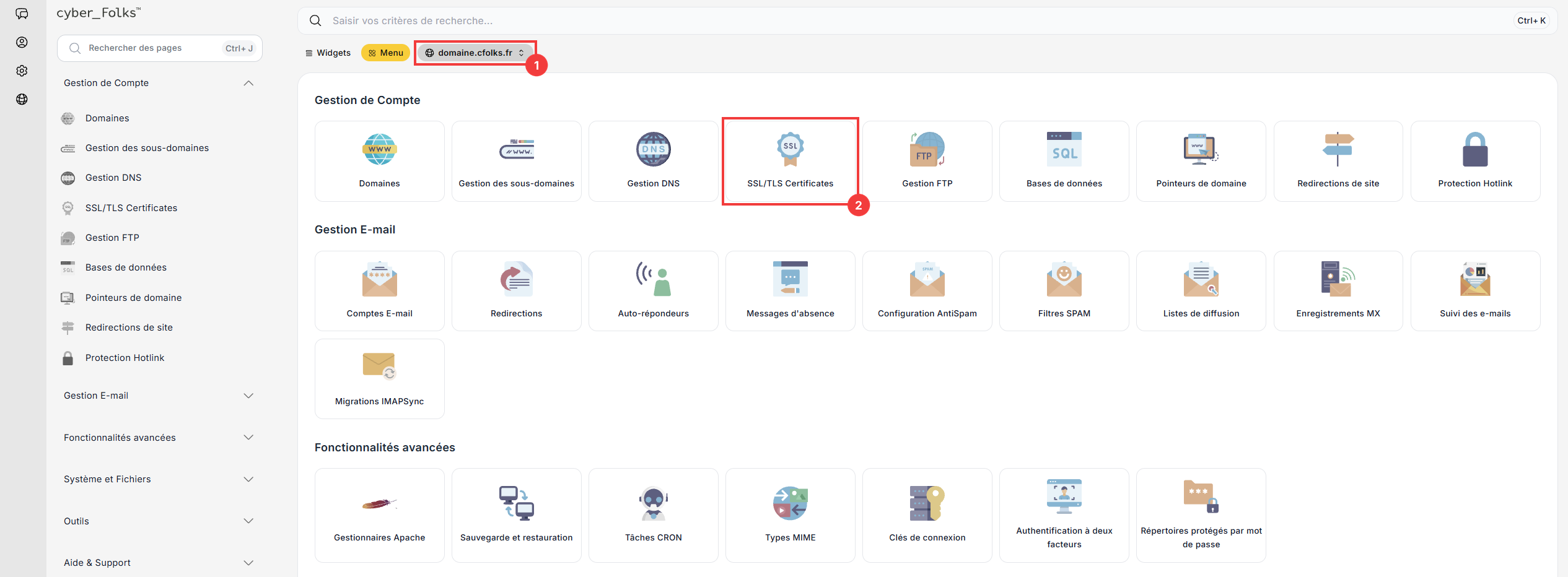
- If you have several domains, select from the list the one for which you want to generate the certificate (1). Then open the SSL/TLS Certificates tab (2).
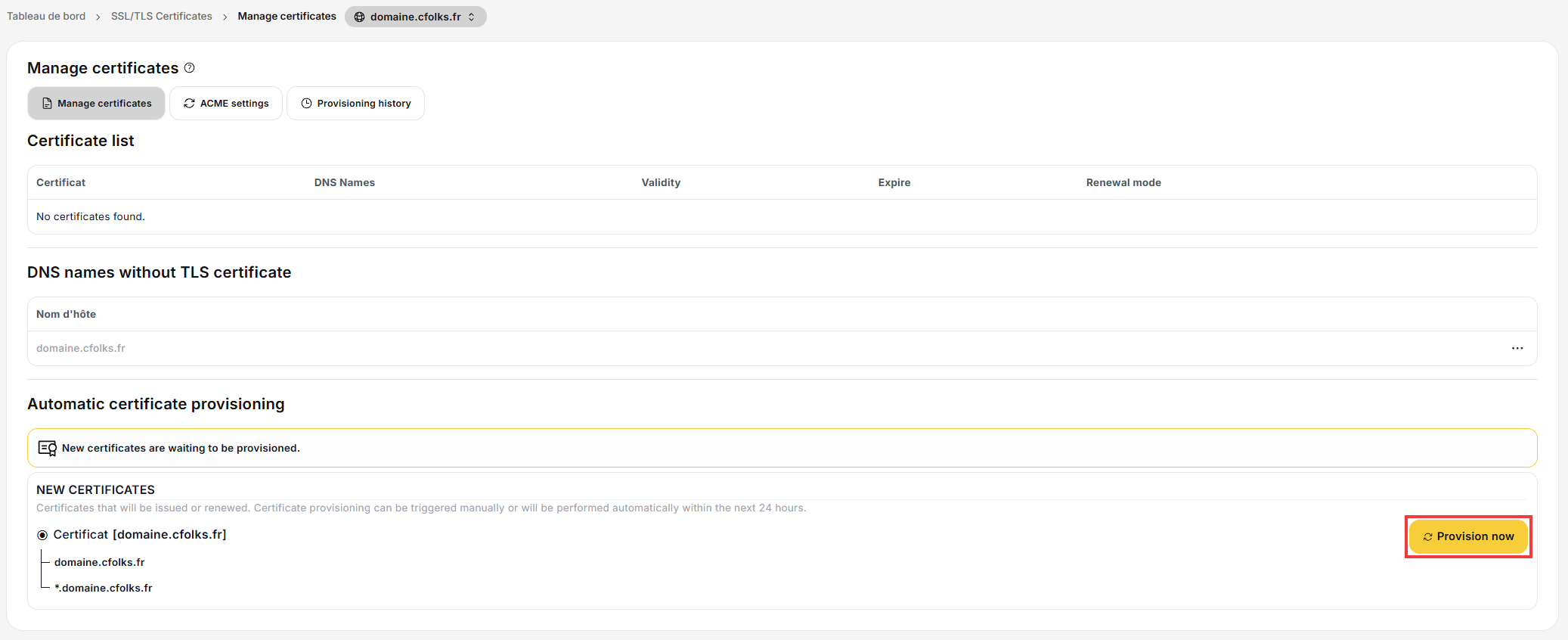
- The Manage certificates page is displayed. If the domain does not yet have a certificate, the Automatic certificate provisioning section indicates that new certificates are waiting to be issued. The certificate will be issued automatically within 24 hours, but you can start the operation immediately with the Provision now button.
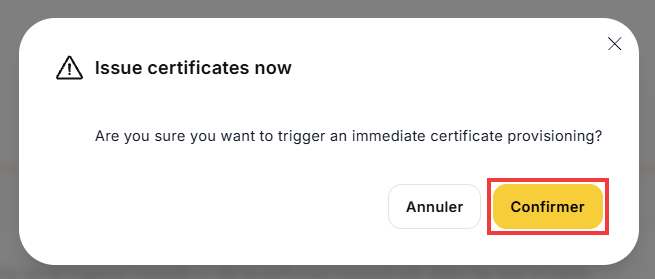
- Confirm with the Confirm button.
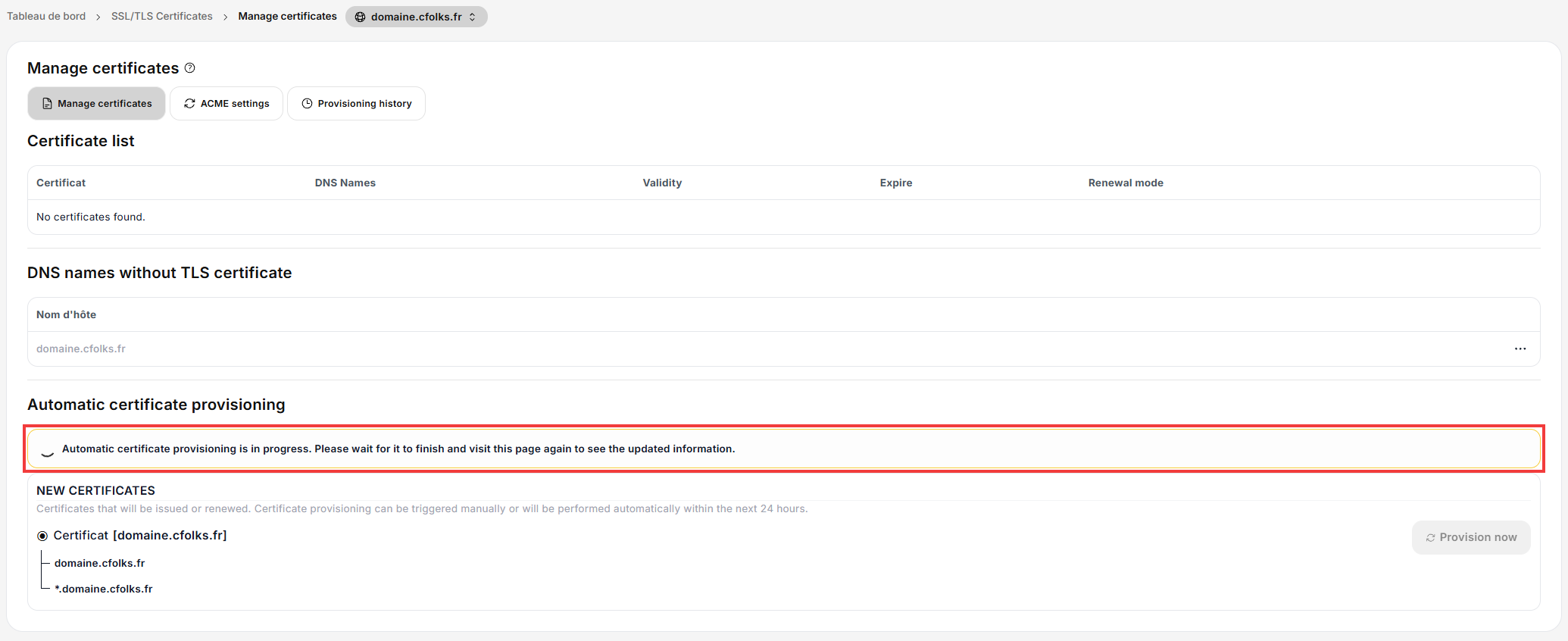
- The certificate is being issued. Wait a few moments, then refresh the page.
- Once issued, the certificate appears in the Certificate list with the status Valid. Its renewal is automatic (Renewal mode: Automatic).
 Good to know! Once you are logged in to the panel, you can also use our robo_Folks assistant. It can help you with many tasks and, often, perform operations for you!
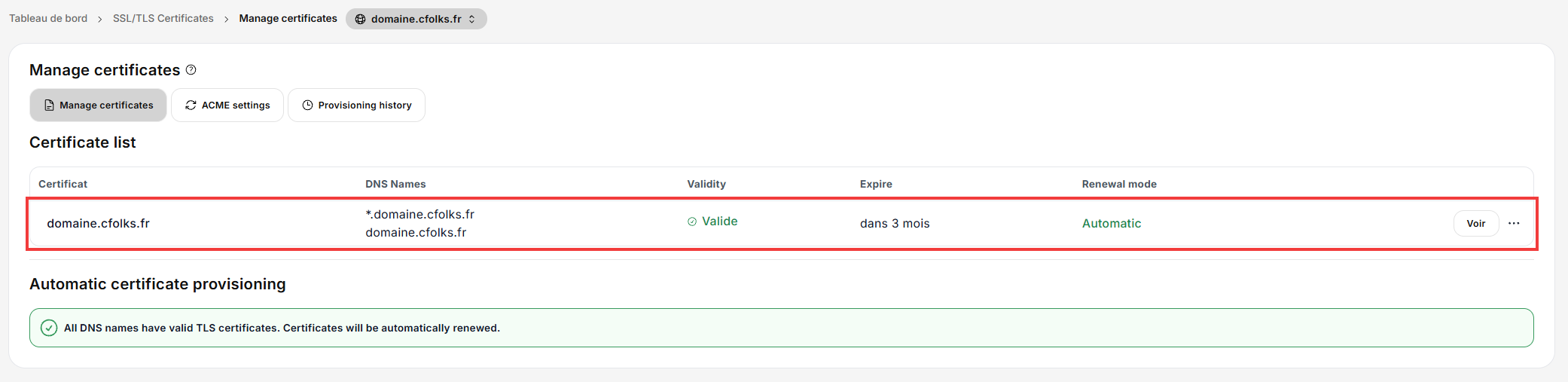
Done! Your domain is now protected by an SSL certificate.
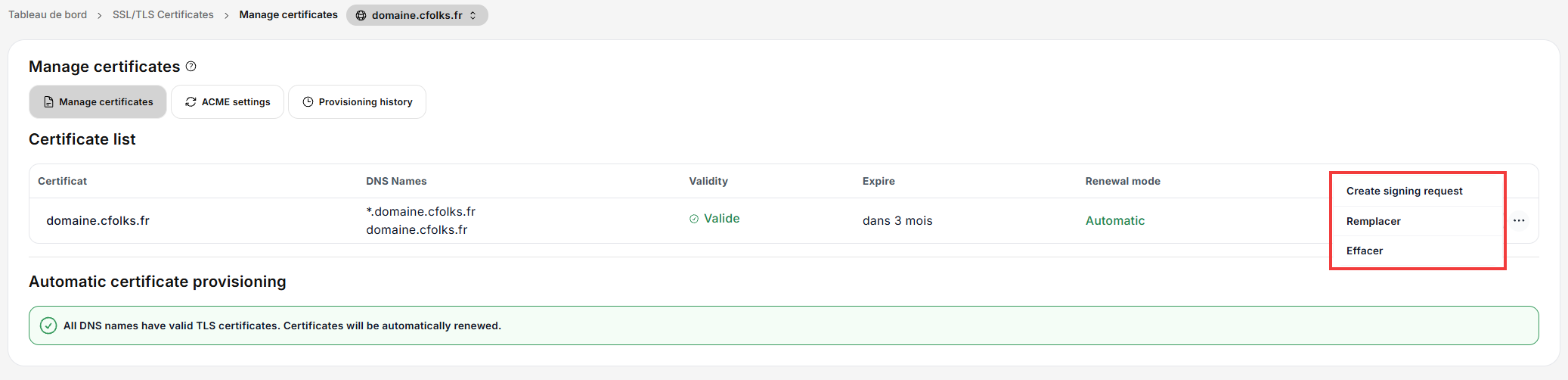
The ⋯ menu next to the certificate lets you, in particular, replace it (Replace) or delete it (Delete).
Note: for the certificate to be issued, the domain must point to your cyber_Folks hosting (DNS servers or DNS records configured correctly).
