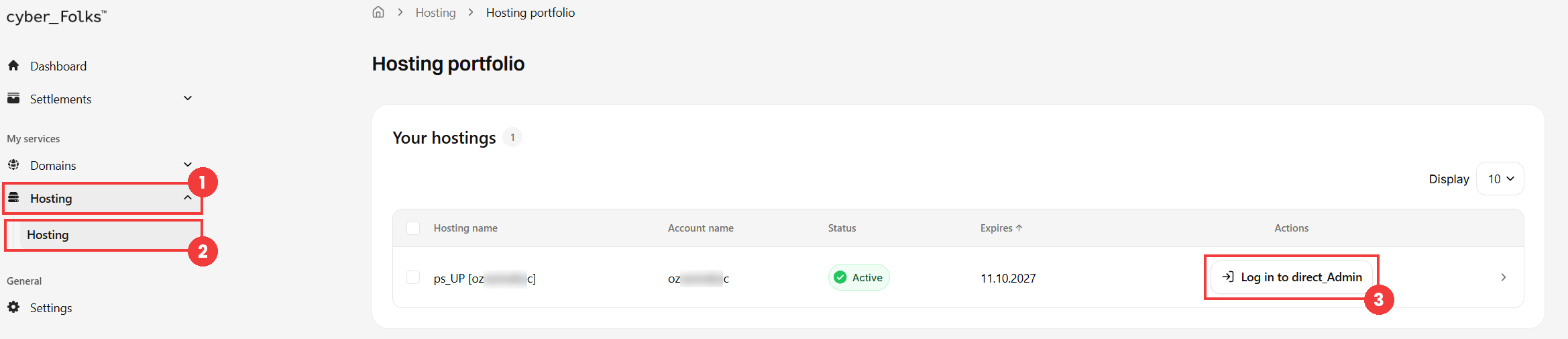
To access your hosting panel, use the automatic login feature available in the Client Panel.
- Log in to your Client Panel: https://cyberfolks.com/client-login-panel/
- In the left-hand menu, expand Hosting (1), then click Hosting (2). A list of your hosting accounts will appear.
- Next to the hosting account you want to log in to, click the Log in to direct_Admin button (3): the system will log you in automatically in a new browser window.