


To delete or suspend a domain:
- Log in to your hosting panel: Log in to your new hosting service
- Click the Domains option.
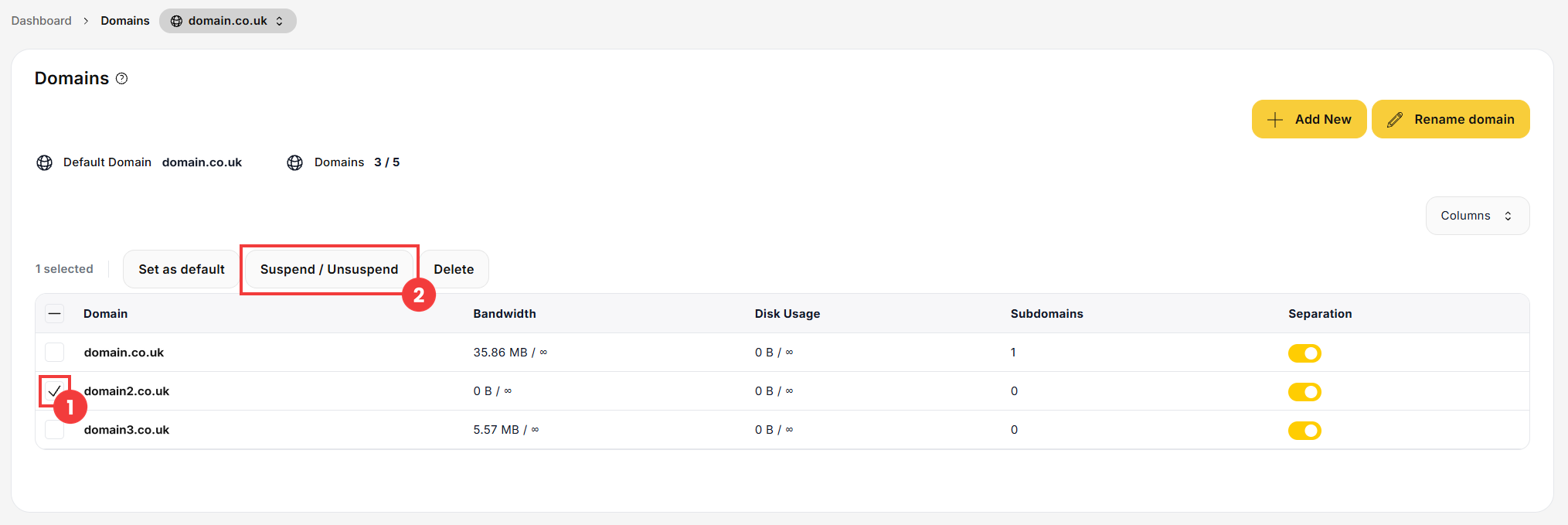
- On the next screen, select the checkbox next to the domain name (1), then click the Suspend / Unsuspend button (2).
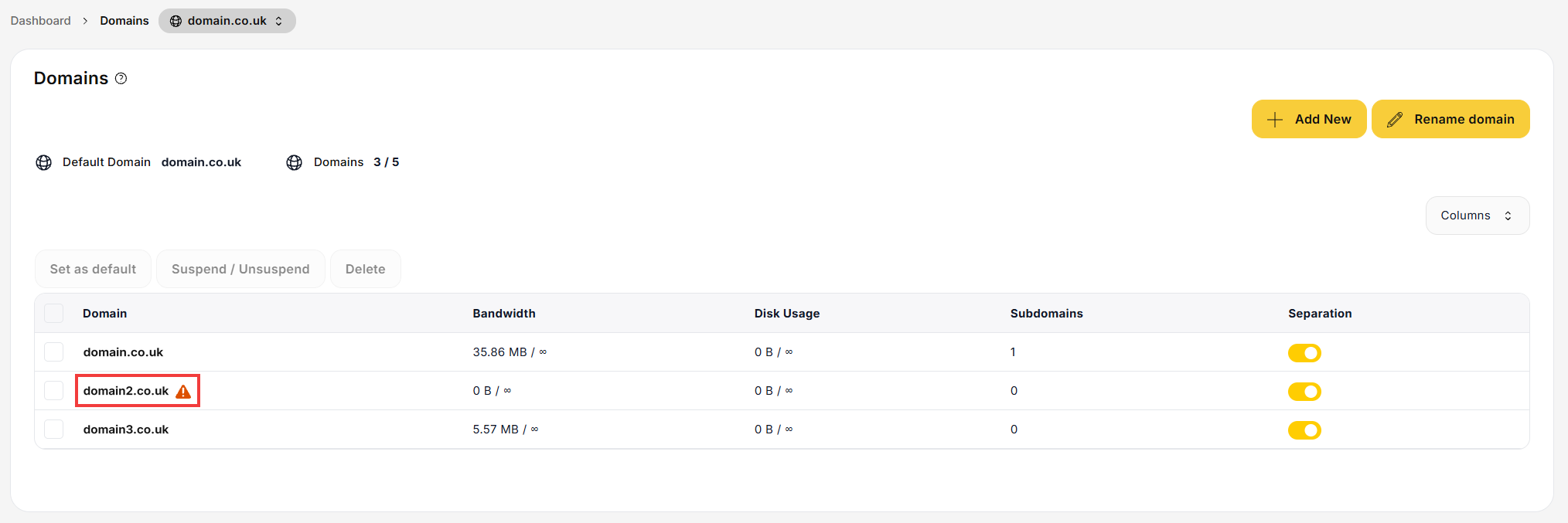
- A warning icon appears next to the domain to show that it is suspended. While the domain is suspended, its website and e-mail do not work. To unsuspend the domain, repeat step 3.
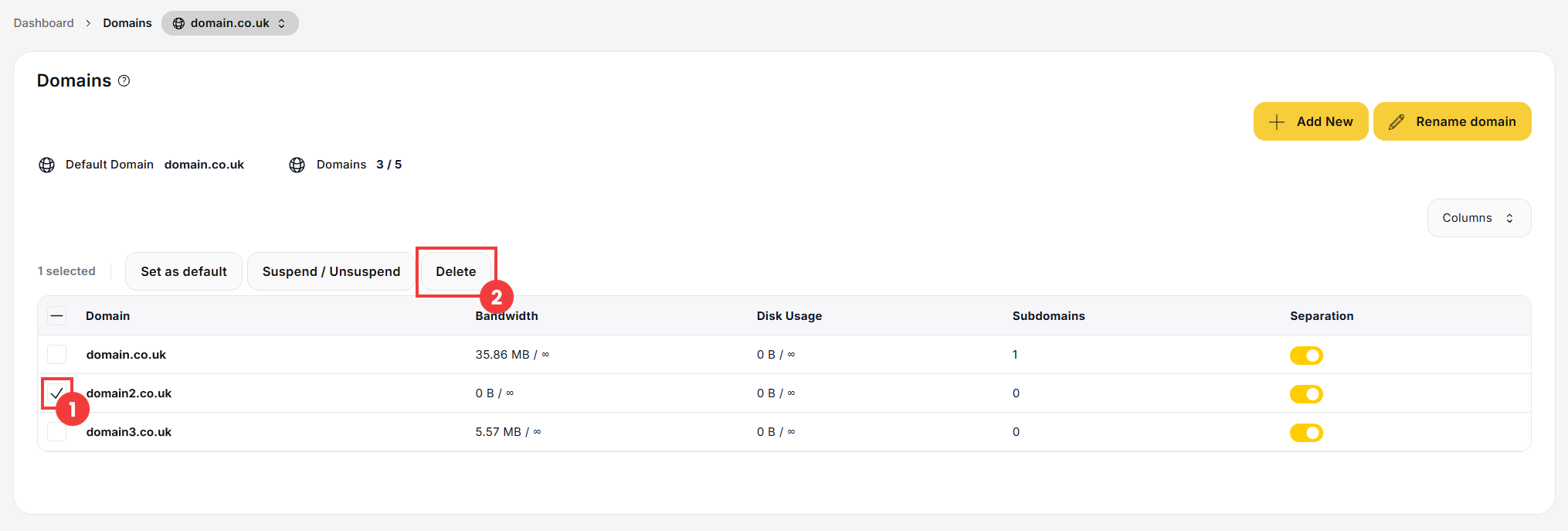
- In the Domains section, select the checkbox next to the domain name (1), then click the Delete button (2).
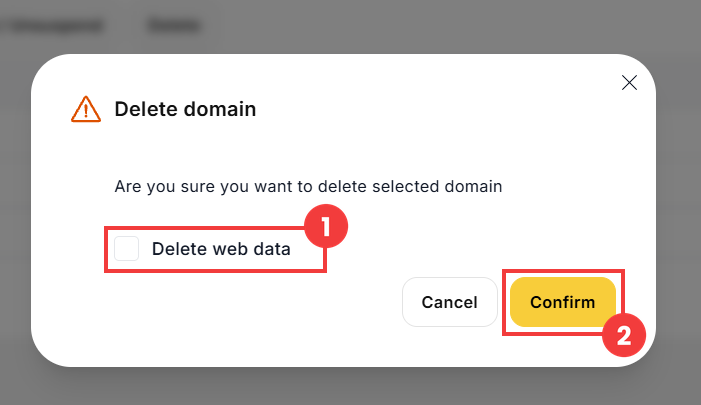
- A confirmation window appears. If you also want to delete the website files for this domain, select the Delete web data option (1). Then confirm the deletion with the Confirm button (2).
 Good to know! Once you are logged in to the panel, you can also ask our assistant robo_Folks for help – it can perform many operations for you.
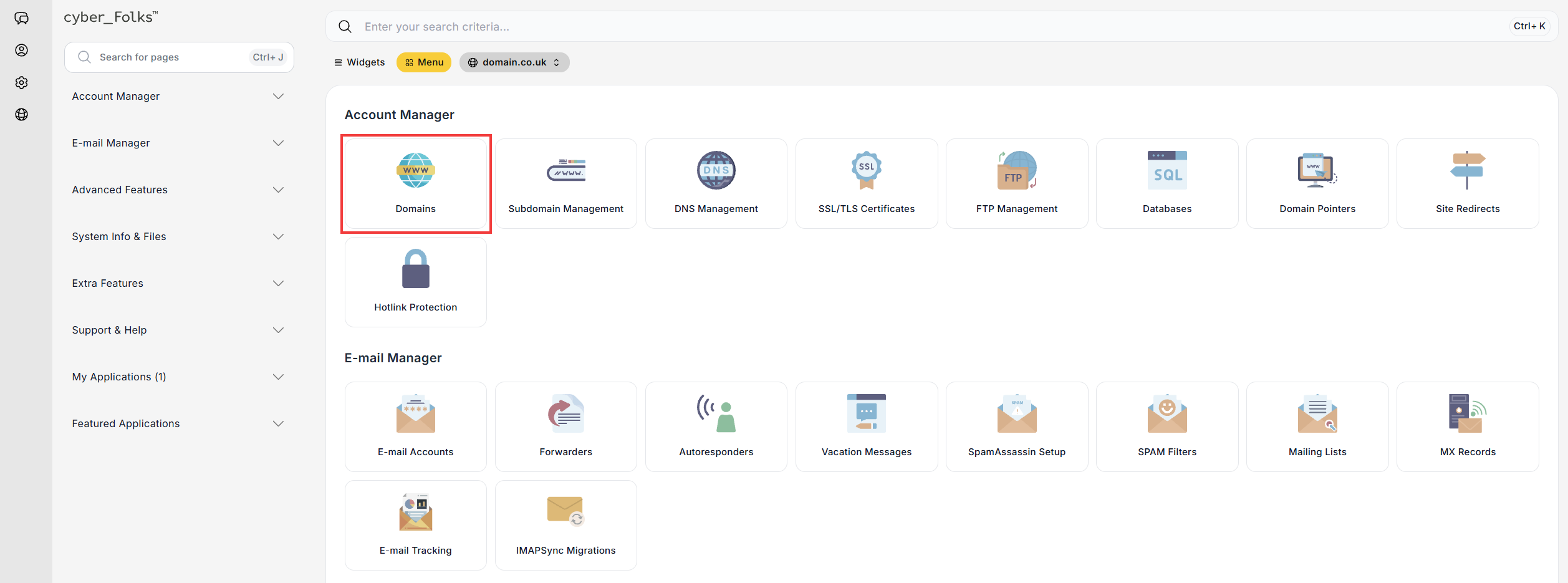
Suspend a domain
Delete a domain
Important! Deleting web data cannot be undone: before selecting this option, back up your website files. If you only want to disable the domain temporarily, suspend it instead, as described above.
