


Your account details fall into two categories: main details (first and last name, or company name and tax identification number) and address details (country, city, postal code, street and number). Depending on which details you want to change, you edit them in a different place in the Client Panel.
- Log in to your Client Panel: https://cyberfolks.com/client-login-panel/
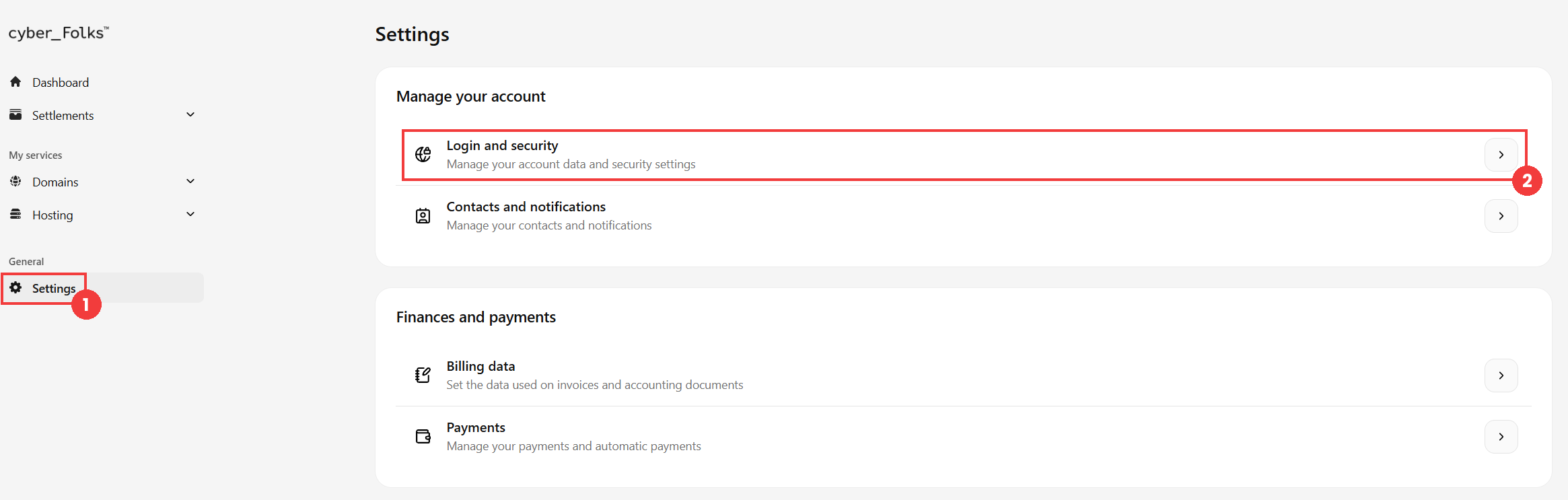
- Go to Settings (1), then click Login and security (2).
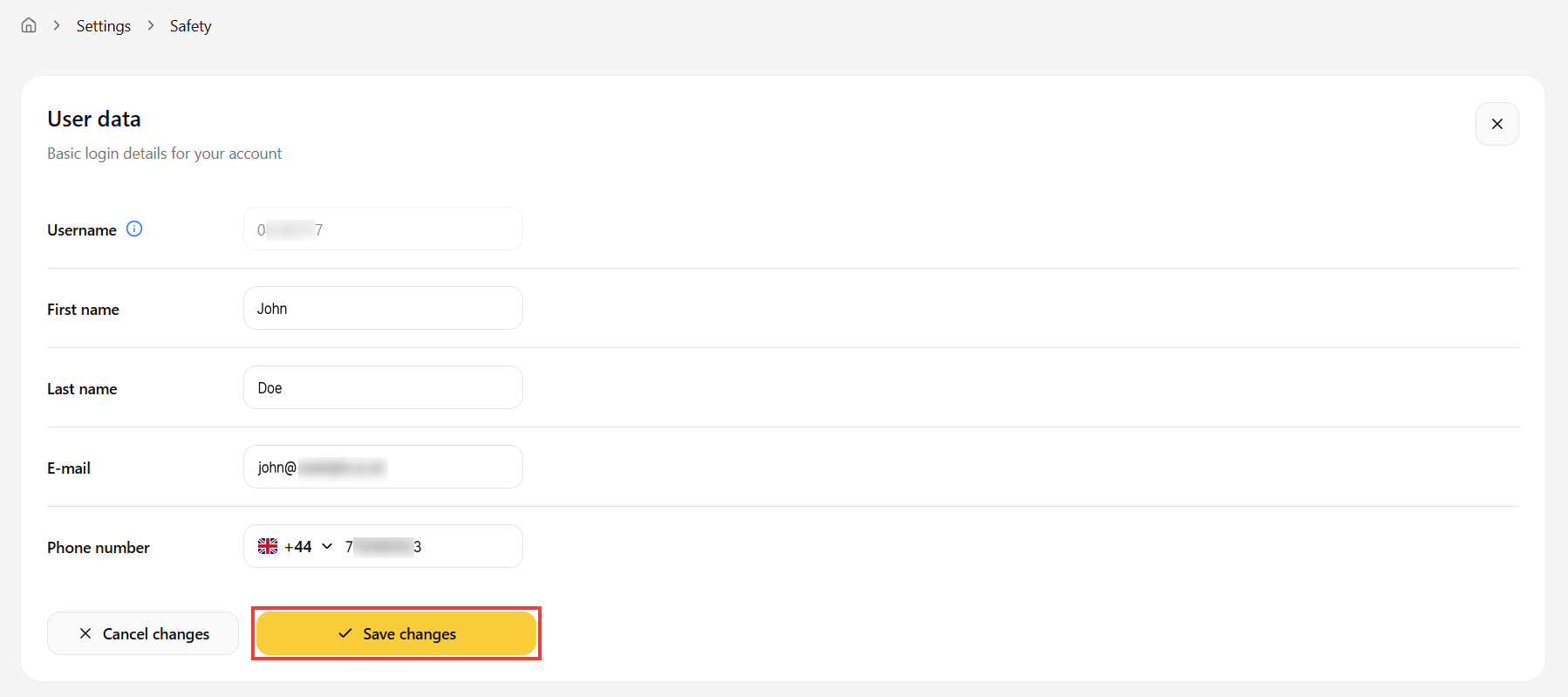
- In the form click Edit data and enter the new details in the fields you want to change. Note that the Username (your customer number) cannot be changed. Confirm with the Save changes button.
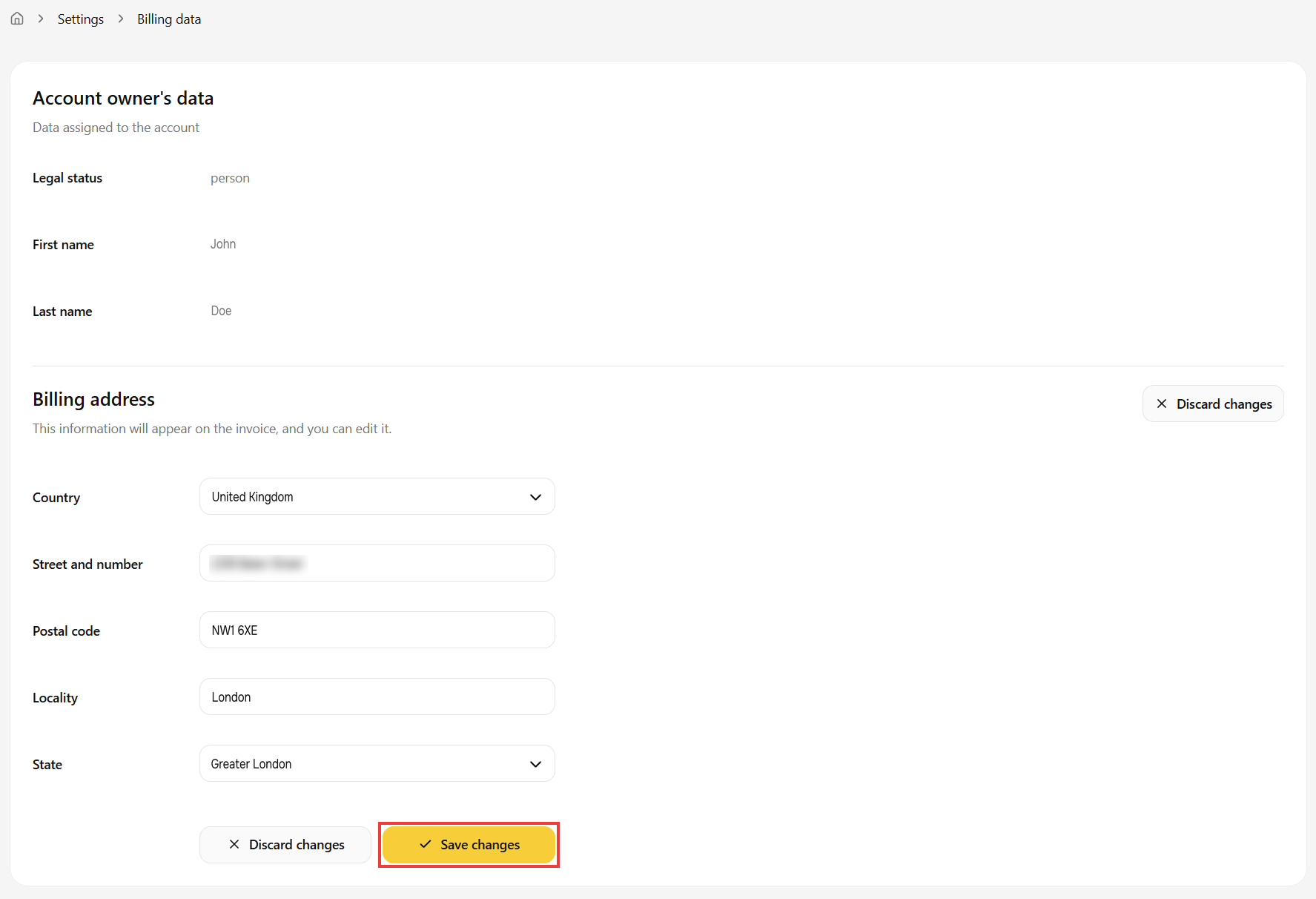
- Go to Settings > Billing data, then click the Edit data button.
- Enter the new details in the form and save them with the Save changes button.
 Good to know! Once you are logged in to the Client Panel, you can also ask our assistant robo_Folks for help – it can perform many operations for you.
Change your main details
Done! Your main details have been changed.
Change your billing address
Done! Your address details have been updated.
