
The PHP – global settings tool lets you enable or disable PHP extensions and change the PHP options of your hosting account, for example the memory limit (memory_limit) or the maximum size of uploaded files (upload_max_filesize). Extensions and options are set separately for each PHP version.
To manage PHP extensions and options:
- Log in to your hosting panel: Log in to your new hosting service
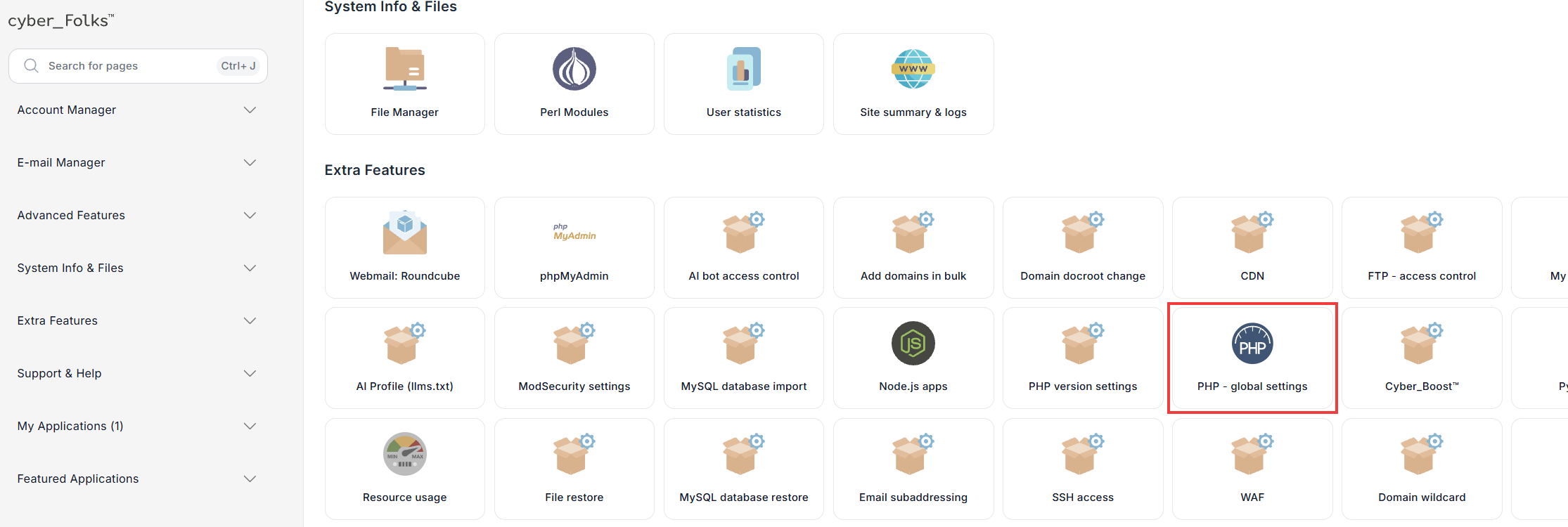
- In the Extra Features section, click PHP – global settings.
- The PHP Selector tool opens on the Account Global Settings tab. From the PHP version list, select the version whose extensions or options you want to change – usually the one your website uses.
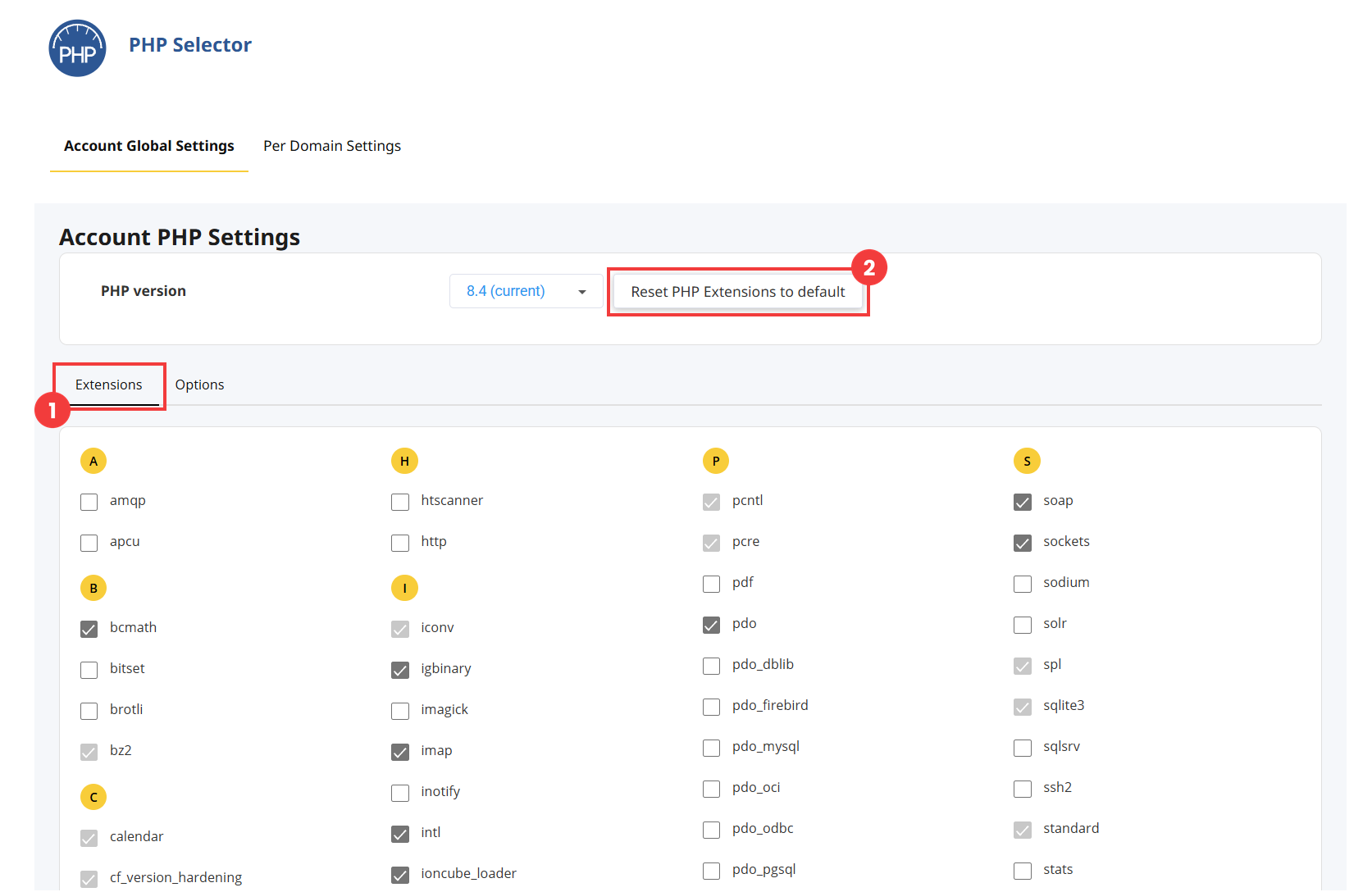
- In the Extensions tab (1), which is open by default, select the extensions you want to enable and clear the ones you want to disable. Changes are saved automatically.
Greyed-out checkboxes are built-in extensions that cannot be disabled. To go back to the default list of extensions, click Reset PHP Extensions to default (2). - Open the Options tab.
- Change the options you need: select or clear a checkbox, click a blue value to choose it from the list, or type a value into a field. Changes are saved automatically. Below a changed option, a link lets you restore its default value.
 Good to know! Once you are logged in to the panel, you can also ask our assistant robo_Folks for help – it can perform many operations for you.
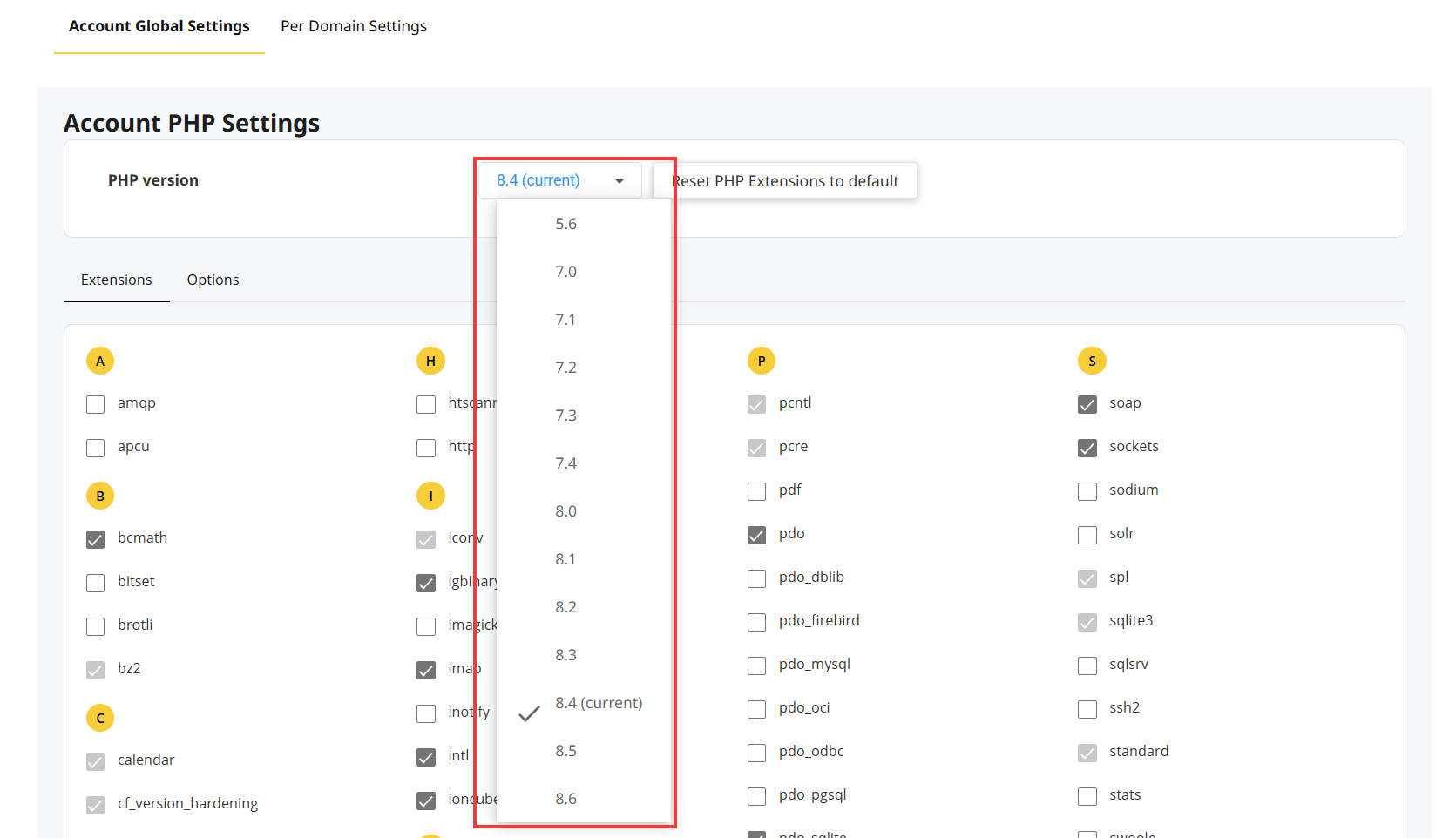
Important! After you select a version, the Apply button appears. Don’t click it: you don’t need it to change extensions or options. It only sets the version shown by default in this tool and does not change the PHP version of your website. To change the PHP version, see: How to change the PHP version

Enable or disable extensions
Change options
The most frequently changed options:
| Option | What it does |
| memory_limit | The maximum amount of memory a PHP script can use. |
| max_execution_time | The maximum time a script can run, in seconds. |
| max_input_time | The maximum time, in seconds, a script can spend receiving data (forms, uploaded files). With the value -1, the max_execution_time limit applies. |
| upload_max_filesize | The maximum size of a file sent to a PHP script, for example through a form. |
| post_max_size | The maximum size of data sent by a form. It must be at least equal to upload_max_filesize. |
| file_uploads | Allows files to be uploaded to PHP scripts. |
| display_errors | Shows PHP errors on the website’s pages. Only enable it while you are diagnosing a problem. |
| log_errors | Saves PHP errors to a log file without showing them to visitors. This is the recommended option for a live website. |
| error_reporting | The types of errors reported by PHP. |
| allow_url_fopen | Allows scripts to open remote files from a URL. |
| allow_url_include | Allows remote files to be included in a script. For security reasons, leave this option disabled. |
| disable_functions | A comma-separated list of disabled PHP functions. |
| short_open_tag | Allows the short opening tag “<?” instead of “<?php”. |
| zlib.output_compression | Compresses the pages generated by PHP before they are sent to the browser. |
