


A Let’s Encrypt SSL certificate is free: it encrypts the connection to your website (an https:// address) and renews automatically. Here is how to generate it in the hosting panel.
- Log in to your hosting panel: Log in to your new hosting service
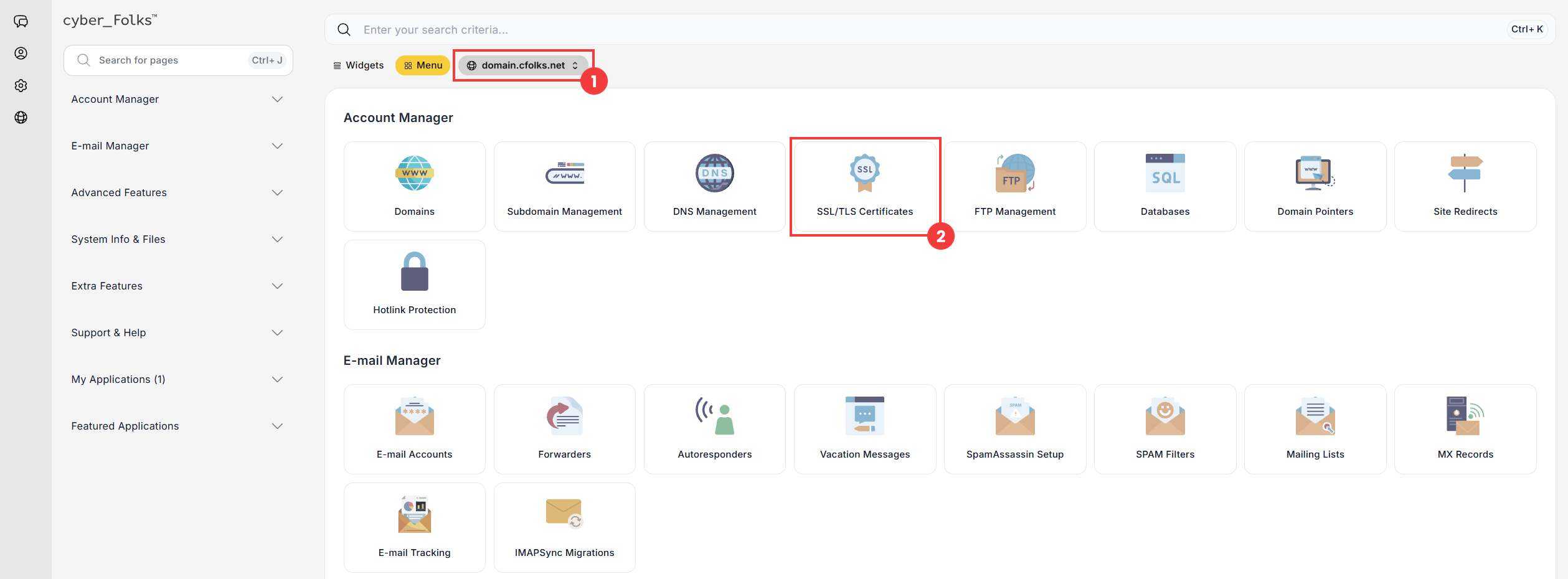
- If you have several domains, select the one you want to generate the certificate for from the list (1). Then click the SSL/TLS Certificates option (2).
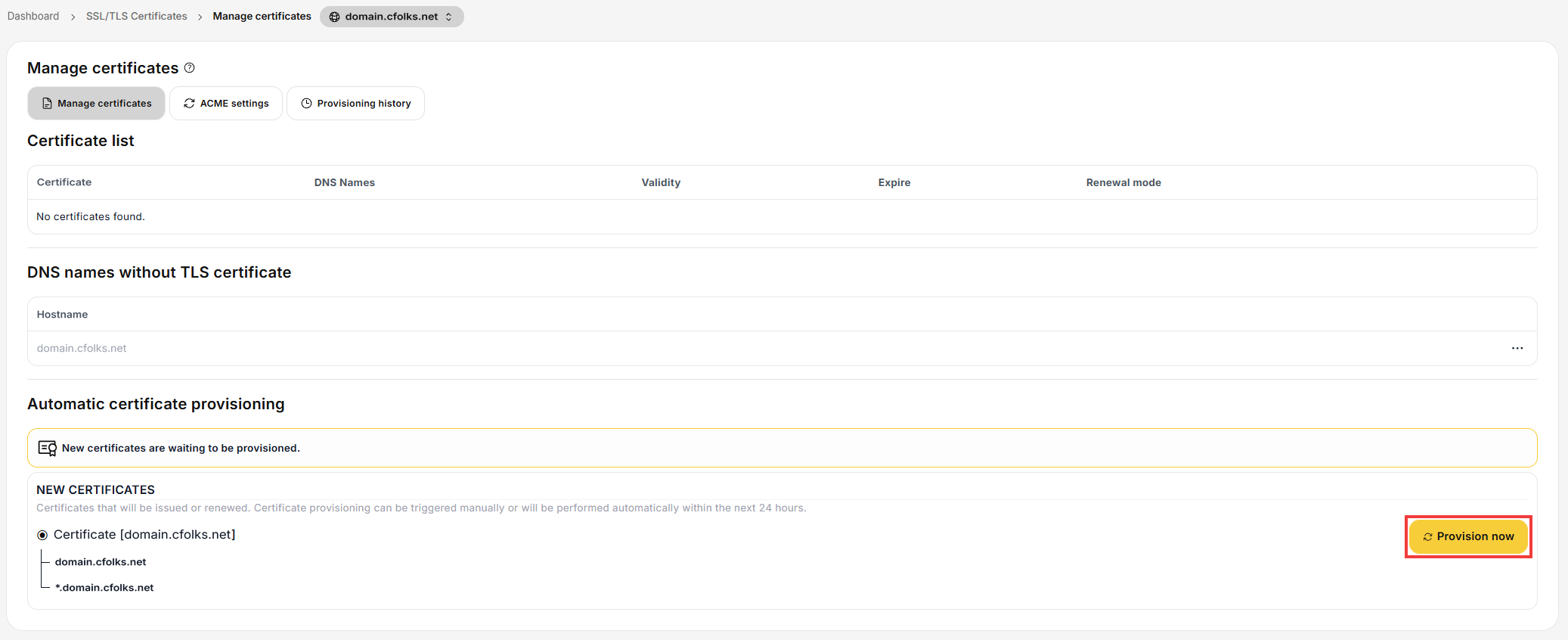
- The Manage certificates page appears. If the domain does not have a certificate yet, the Automatic certificate provisioning section shows that new certificates are waiting to be provisioned. The certificate will be issued automatically within 24 hours, but you can start the process right away with the Provision now button.
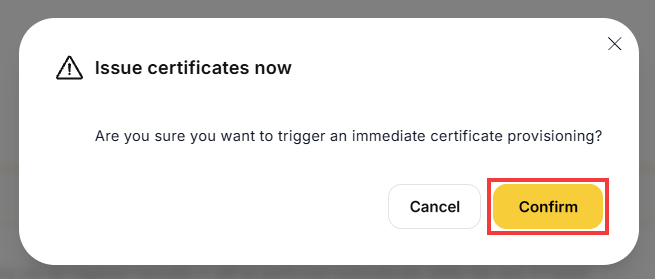
- Confirm with the Confirm button.
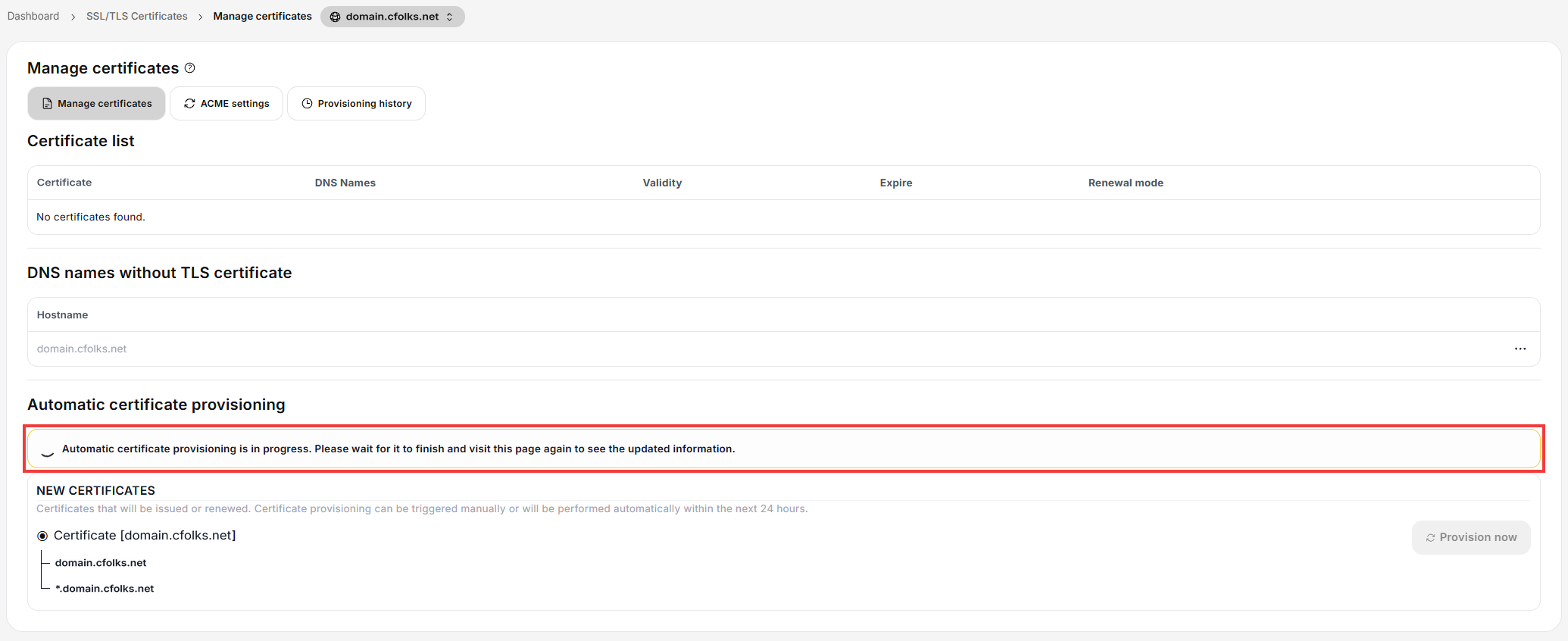
- The certificate is being issued. Wait a moment, then refresh the page.
- Once issued, the certificate appears in the Certificate list with the status Valid. It renews automatically (Renewal mode: Automatic).
 Good to know! Once you are logged in to the panel, you can also ask our assistant robo_Folks for help – it can perform many operations for you.
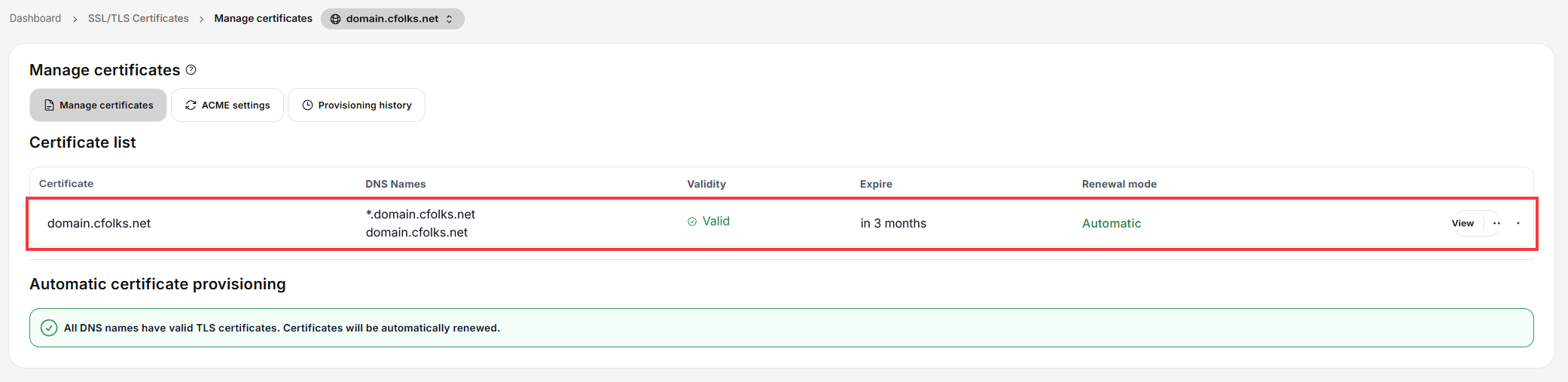
Done! Your domain is now protected by an SSL certificate.
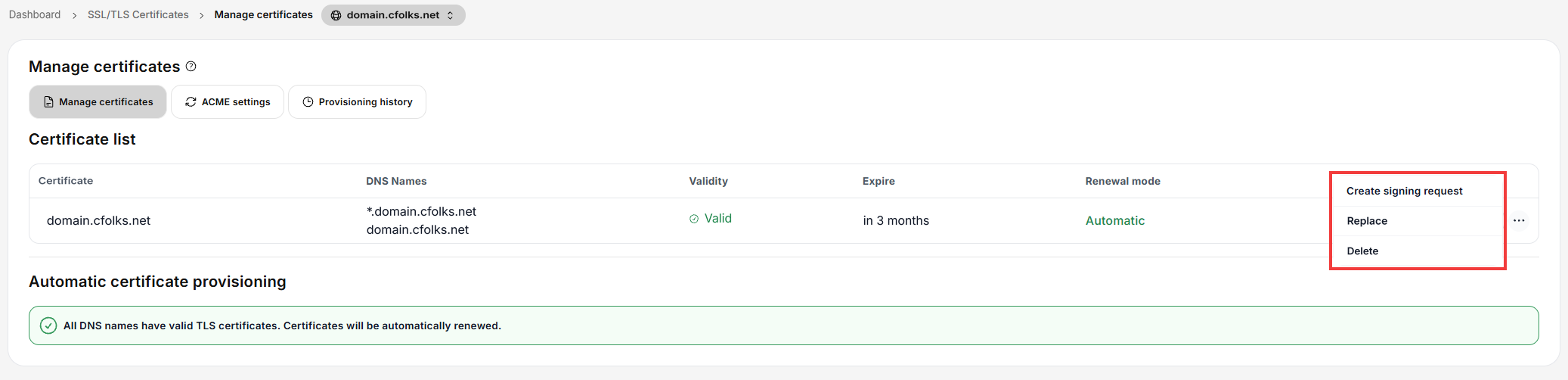
The ⋯ menu next to the certificate lets you, for example, replace it (Replace) or delete it (Delete).
Note: for the certificate to be issued, the domain must point to your cyber_Folks hosting (correctly configured DNS servers or DNS records).
