


Two-factor authentication (2FA) increases the security of your account: in addition to your password, each login to the Client Panel must be confirmed with an additional code. Here is how to enable it.
- Log in to your Client Panel: https://cyberfolks.com/client-login-panel/
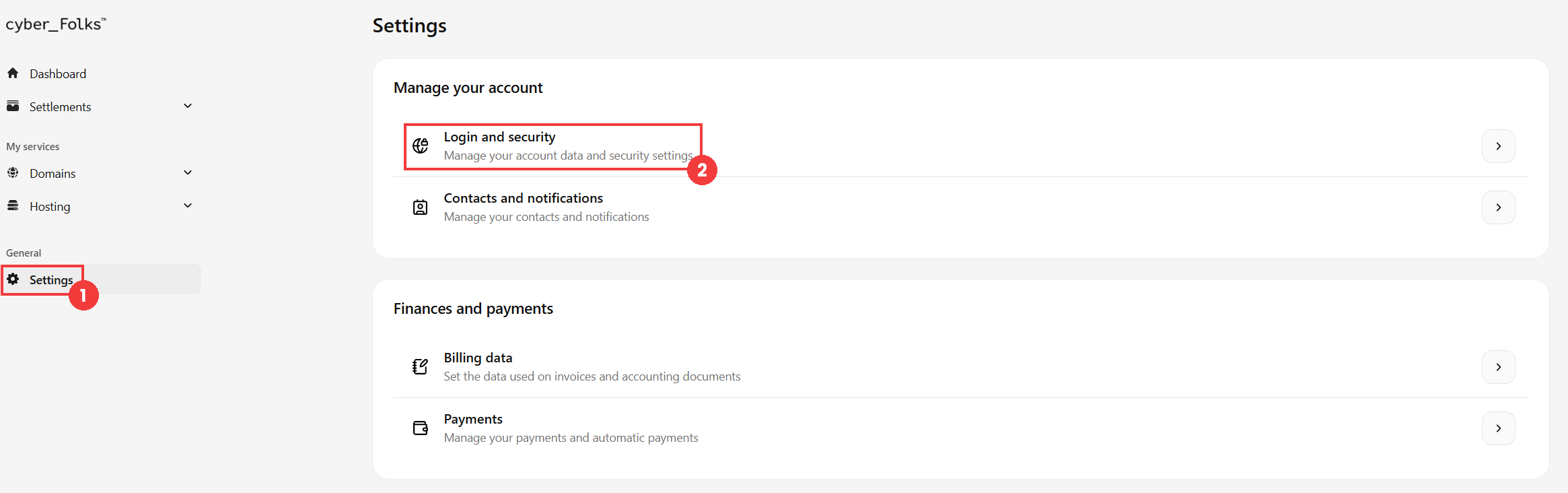
- Go to Settings (1), then click Login and security (2).
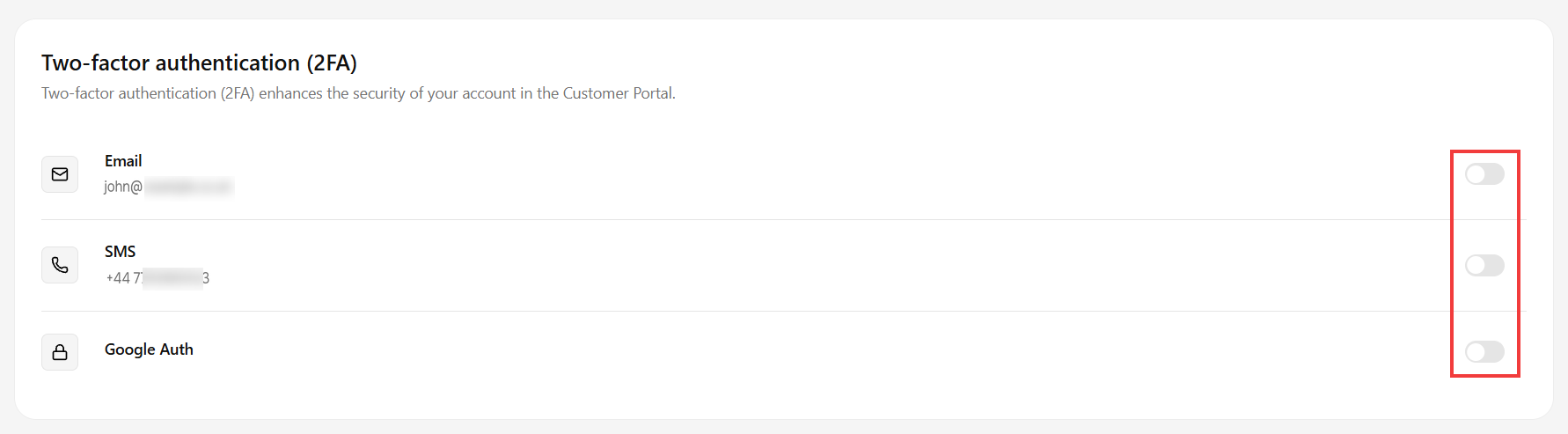
- In the next window, scroll down to the Two-factor authentication (2FA) section. Three methods are available: Email, SMS and Google Auth.
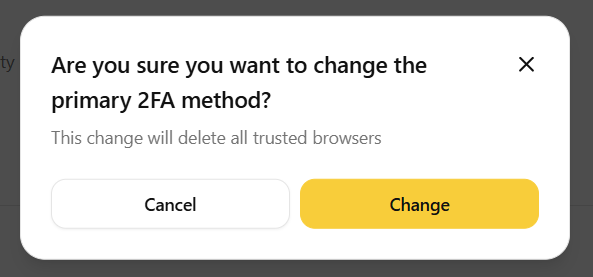
- Choose the method you want by clicking the toggle next to it. The system will ask you to confirm: accept with the Change button.
- You then need to confirm the activation of the 2FA method:
 Good to know! Once you are logged in to the Client Panel, you can also ask our assistant robo_Folks for help – it can perform many operations for you.
Email: a message with a code is sent to your email address. Enter this code in the window that appears and confirm with the Confirm button.
SMS: a text message with a code is sent to your phone number. Enter this code in the window that appears and confirm with the Confirm button.
Google Auth: open the Google Authenticator app on your smartphone, scan the QR code displayed, then enter the code generated by the app and confirm with the Save verification method button.
Add an alternative verification method
You can also set up Alternative verification methods (2FA). They let you confirm access to your account using another method if, for example, you lose access to your email address or to your smartphone with the Google Authenticator app.
- Go to Settings > Login and security > Alternative verification methods (2FA).
- Click the Add button.
- Select the alternative verification method you want from the list.
- Enable and confirm this method in the same way as the main method (step 5).

Done! Your account is now protected by two-factor authentication, and you have a backup method in case you lose access to the main one.
