


If your contact details have changed, remember to update your domain subscriber data. Here is how to do it in the Client Panel.
- Log in to your Client Panel: https://cyberfolks.com/client-login-panel/
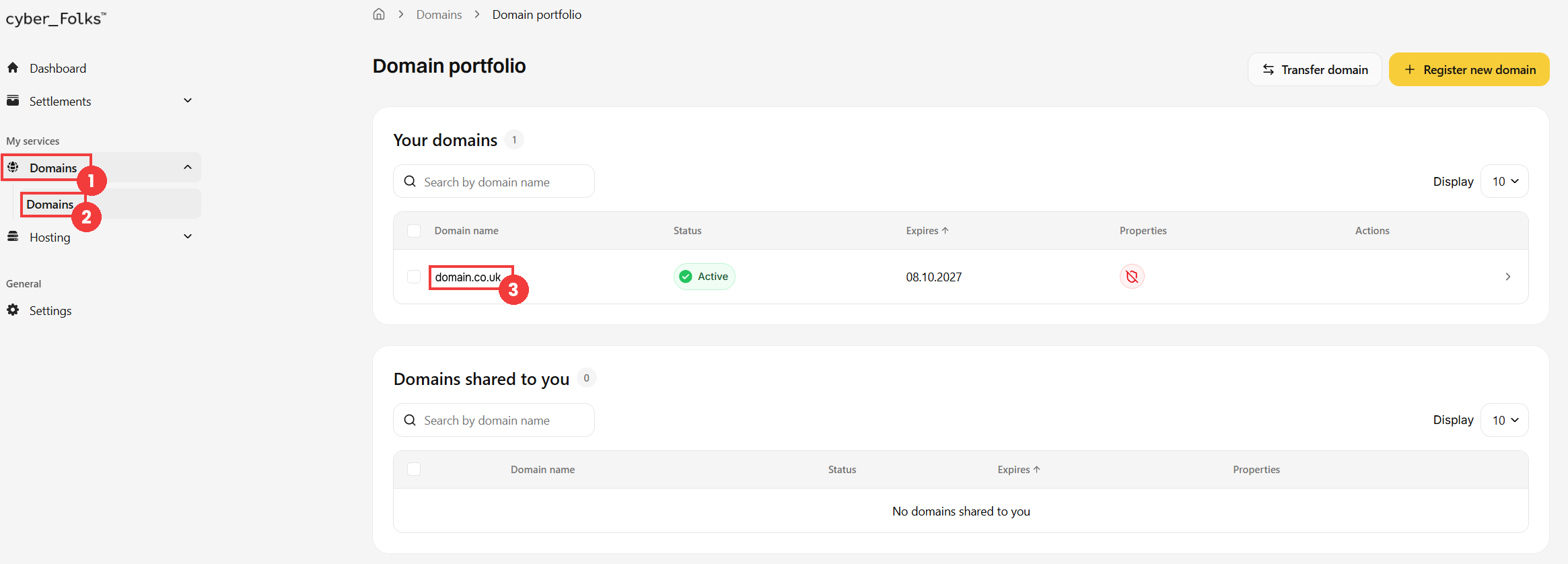
- In the left-hand menu, expand Domains (1), then click Domains (2). The list of your domains appears: click the name of the domain whose data you want to change (3).
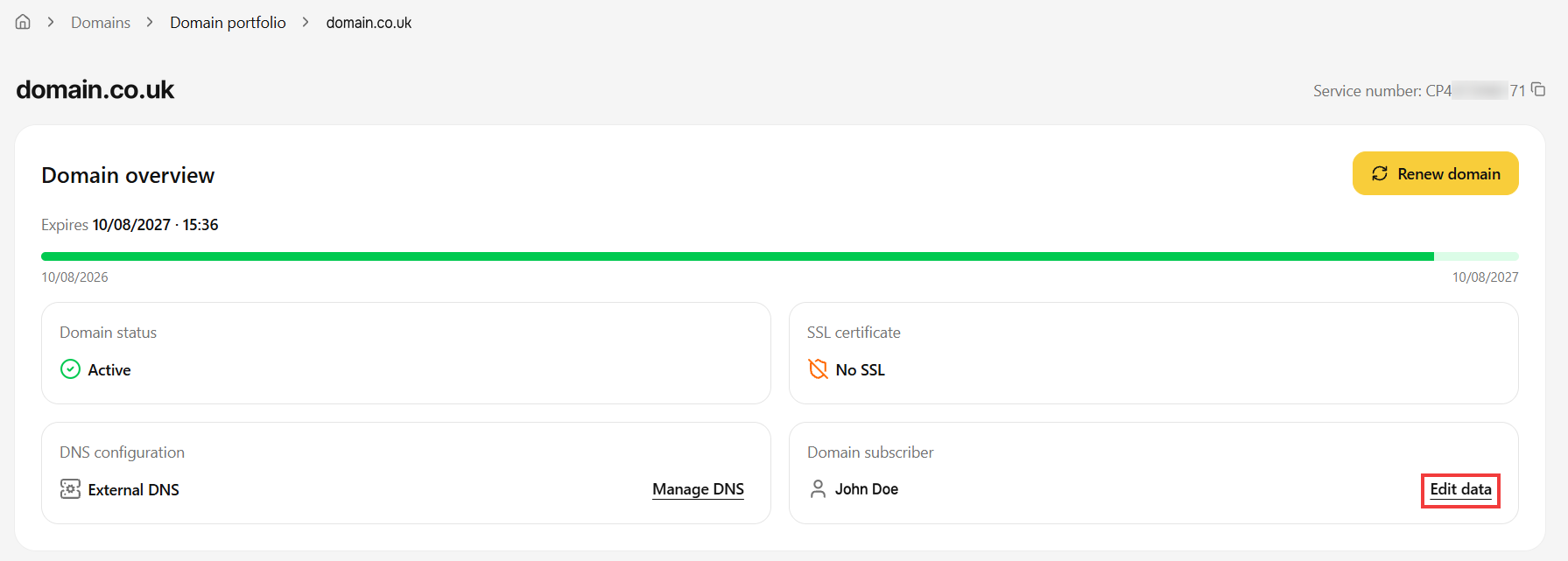
- In the domain overview, find the Domain subscriber section and click Edit data.
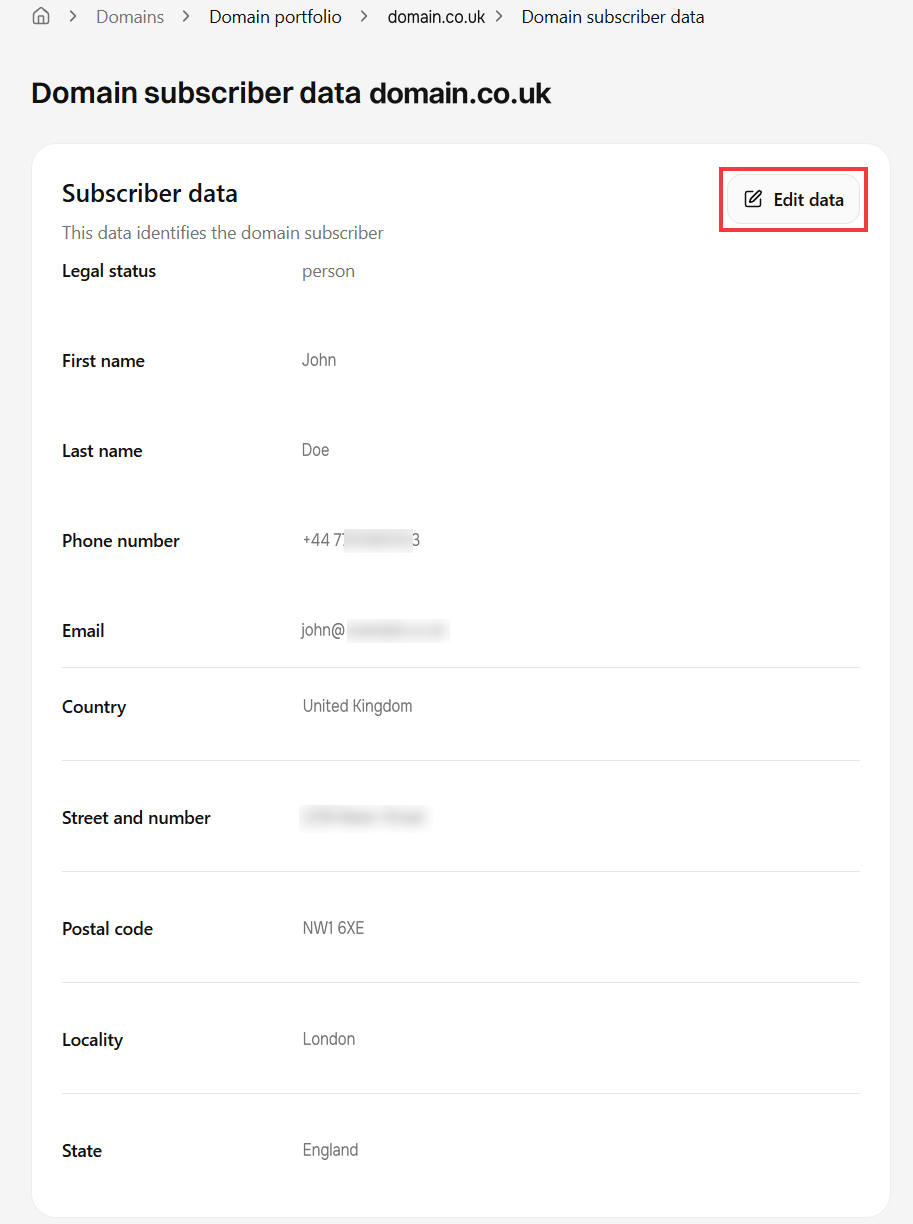
- The Domain subscriber data page appears. Click the Edit data button.
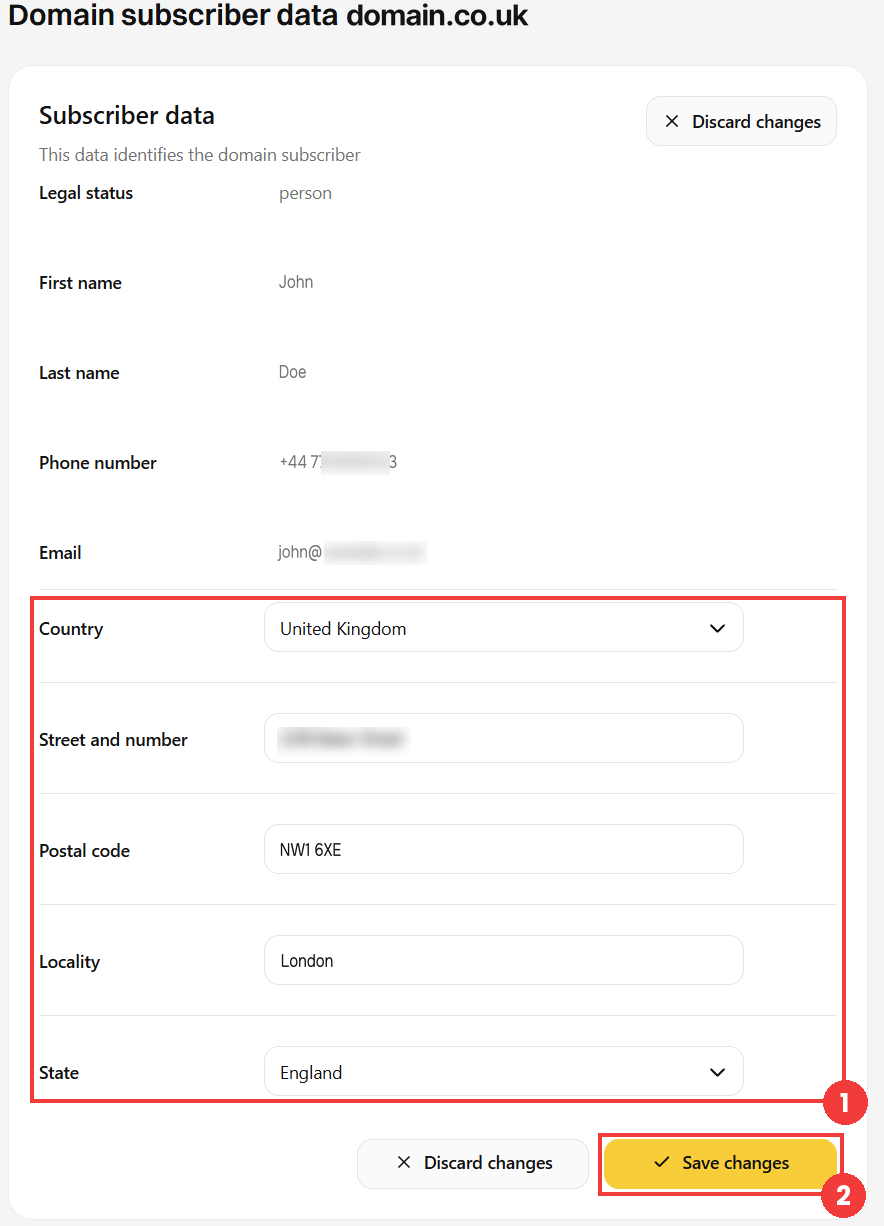
- Update the address details in the form (1), then save with the Save changes button (2).
 Good to know! Once you are logged in to the Client Panel, you can also ask our assistant robo_Folks for help – it can perform many operations for you.
Done! The domain subscriber data has been updated.
