
If you no longer need a database or a database user, you can delete it in the hosting panel.
- Log in to your hosting panel: Log in to your new hosting service
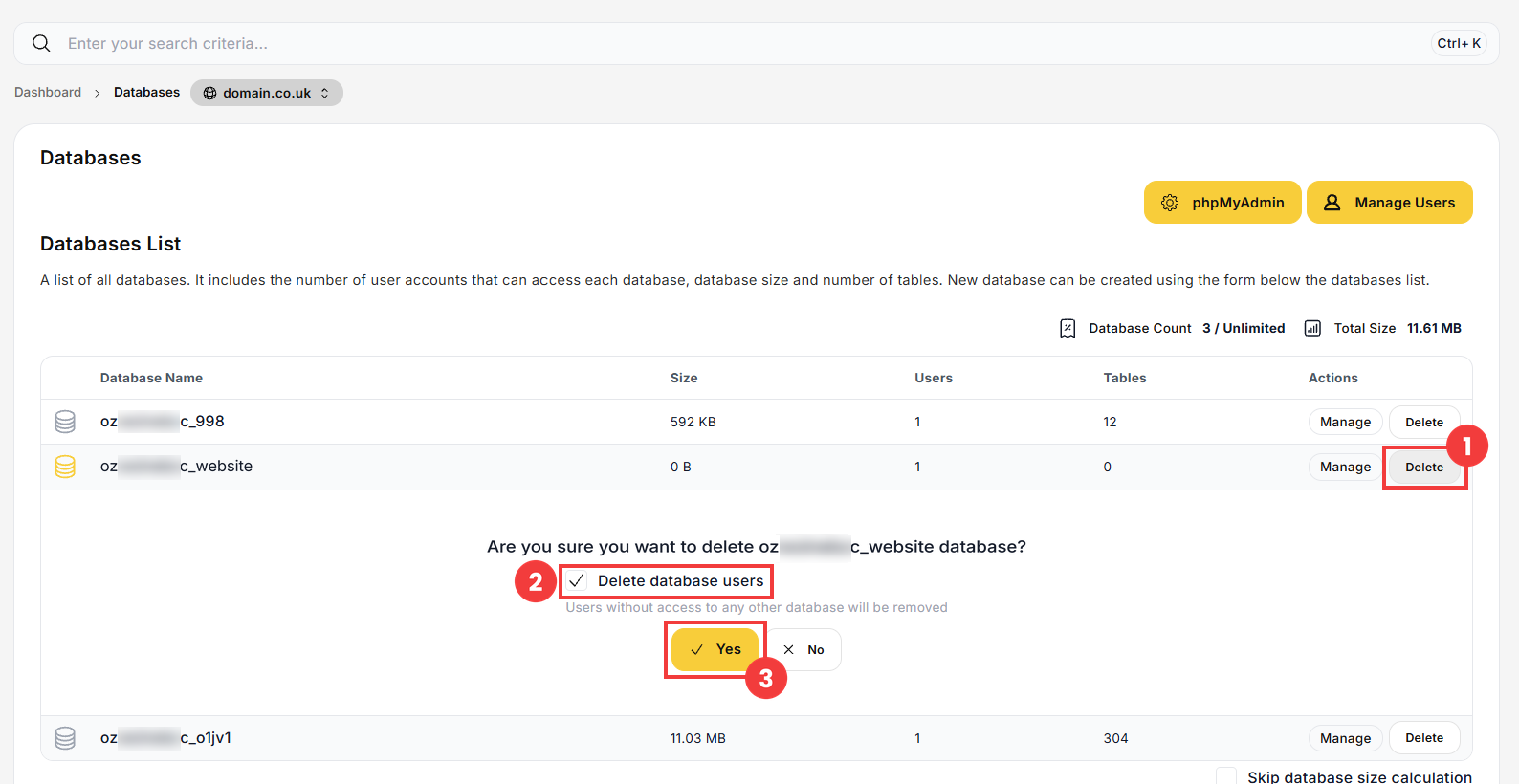
- In the left-hand menu, click Databases. Click Delete next to the database (1). If you also want to delete its users, leave the Delete database users option selected (2). Confirm with Yes (3).
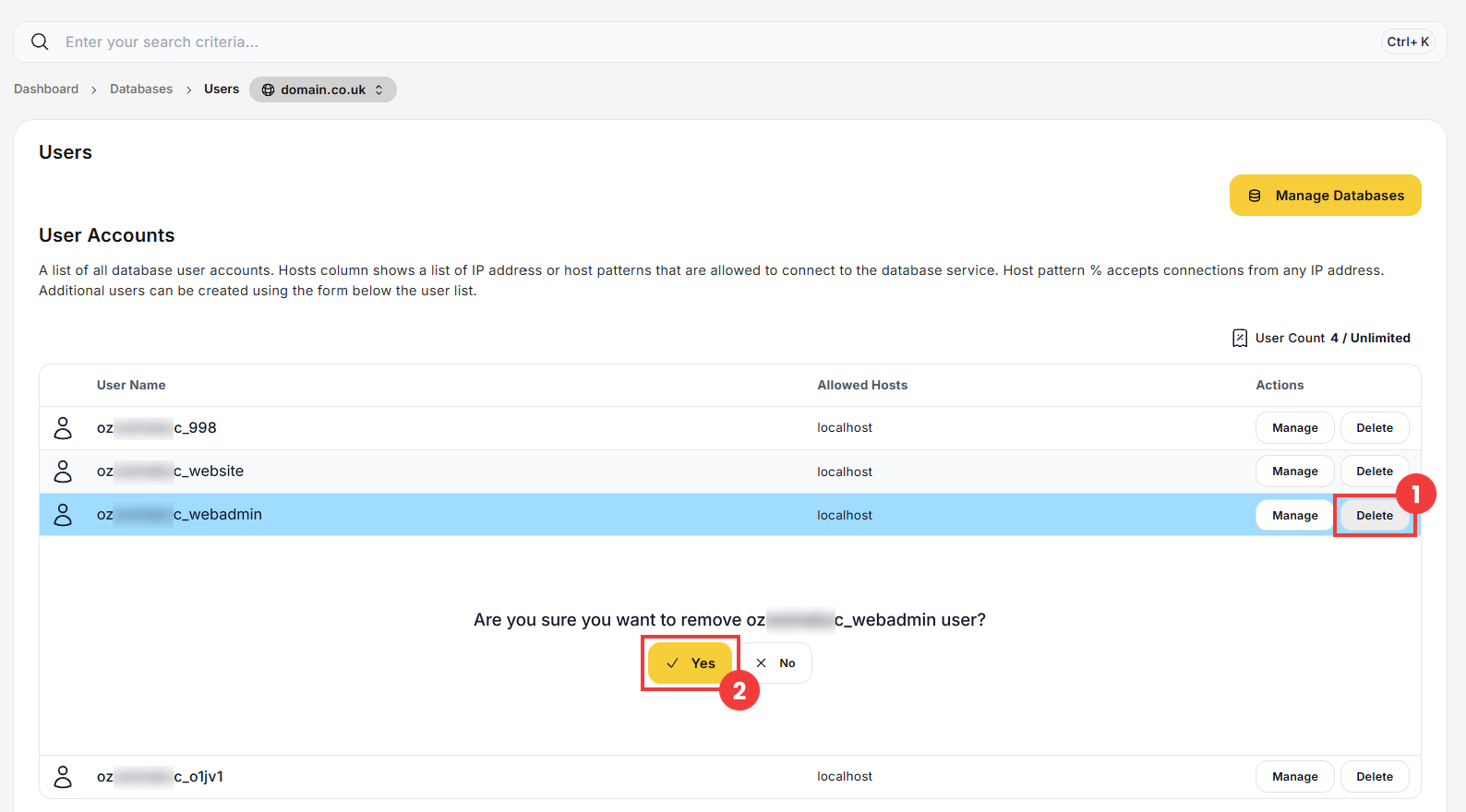
- In the Databases section, click Manage Users. Click Delete next to the user (1), then confirm with Yes (2).
 Good to know! Once you are logged in to the panel, you can also ask our assistant robo_Folks for help – it can perform many operations for you.
Delete a database
Delete a database user manually
Note: deleting a database cannot be undone. If you might need its data later, export it first: click Manage next to the database and use Export as SQL in the Database Operations section.
