
Most websites and applications (for example WordPress or PrestaShop) store their data in a MySQL database. Here is how to create one in the hosting panel.
- Log in to your hosting panel: Log in to your new hosting service
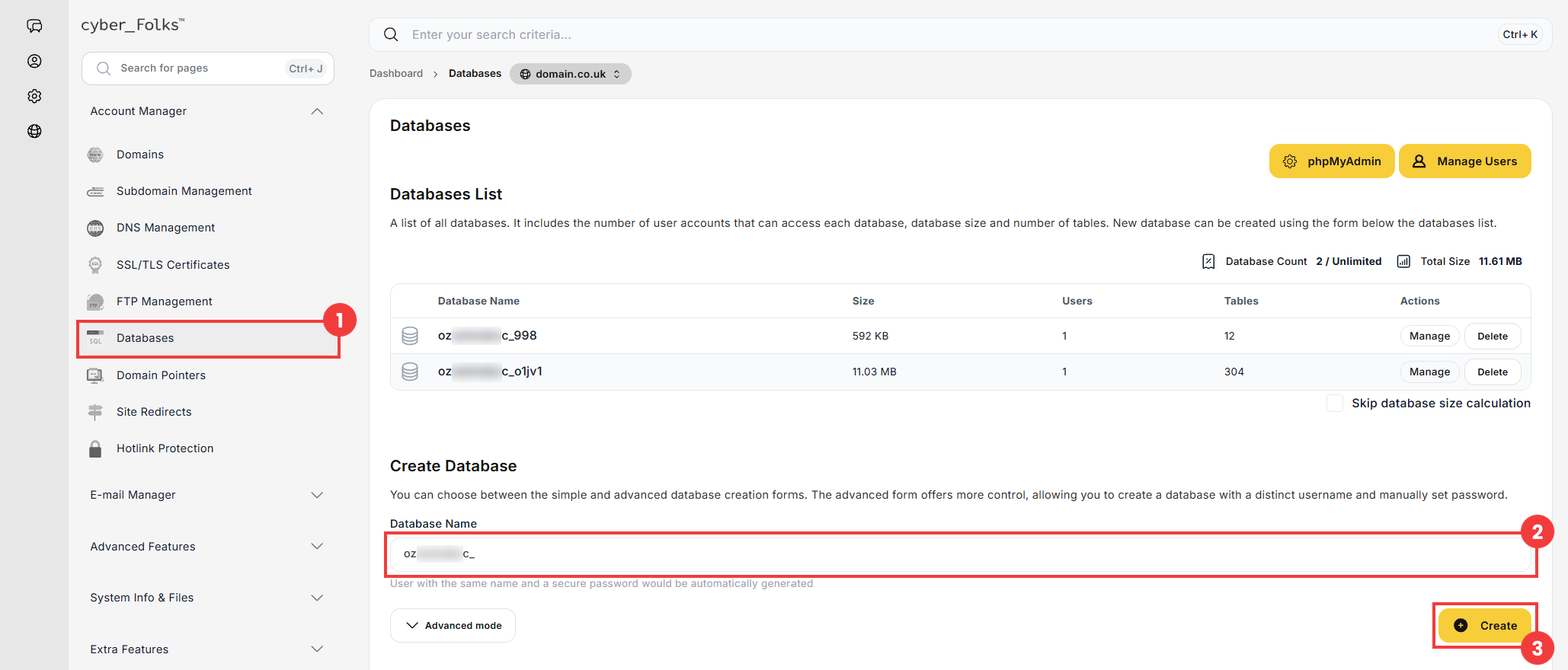
- In the left-hand menu, click Databases (1). In the Create Database section, enter the name of the new database (2), for example website, and click Create (3).
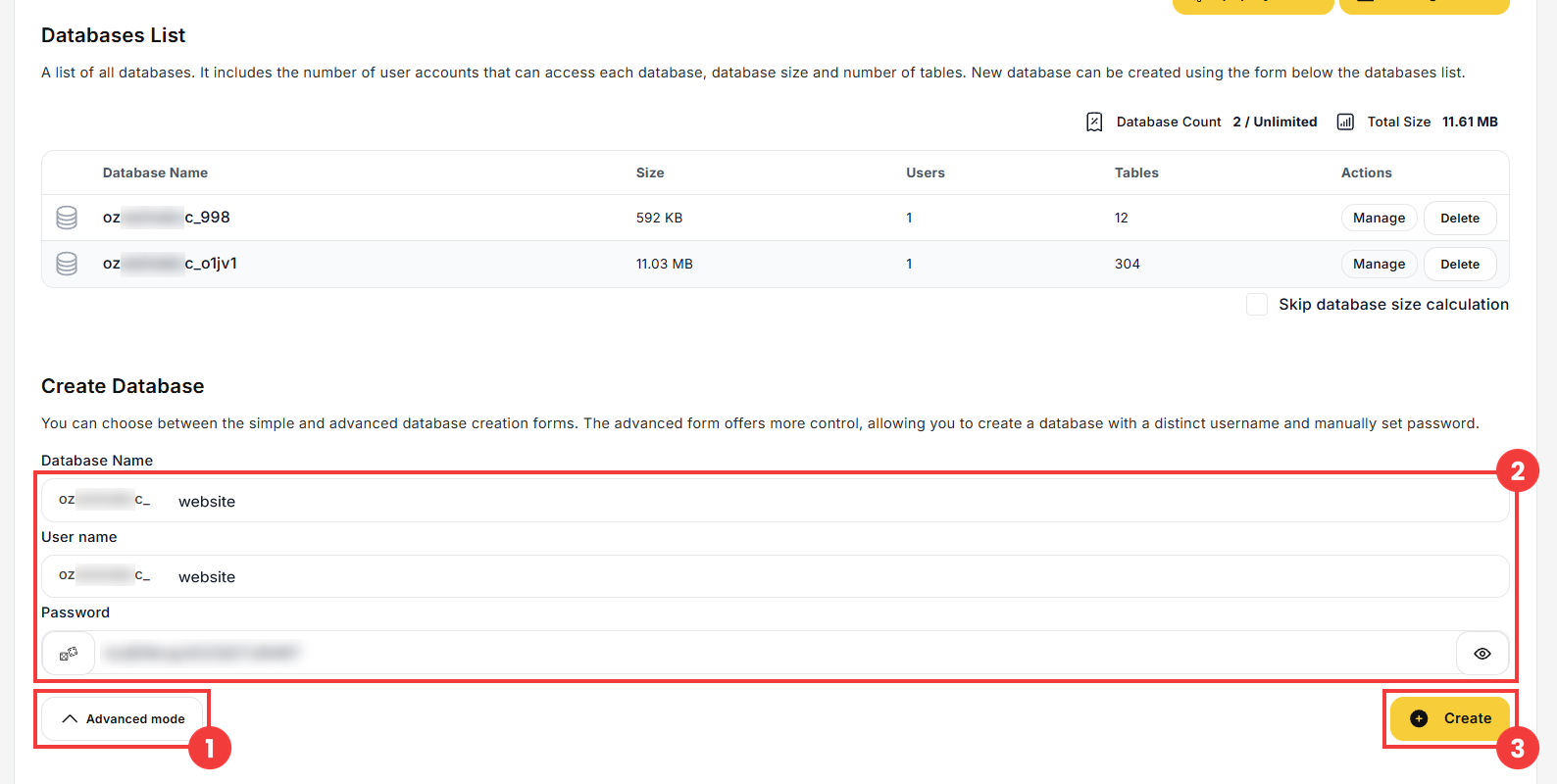
Your account name is added automatically at the beginning of the database name. A database user with the same name and a secure password is created at the same time. - If you want to choose a different user name or set your own password, click Advanced mode (1) before creating the database. Additional fields appear: User name and Password (2). Then click Create (3).
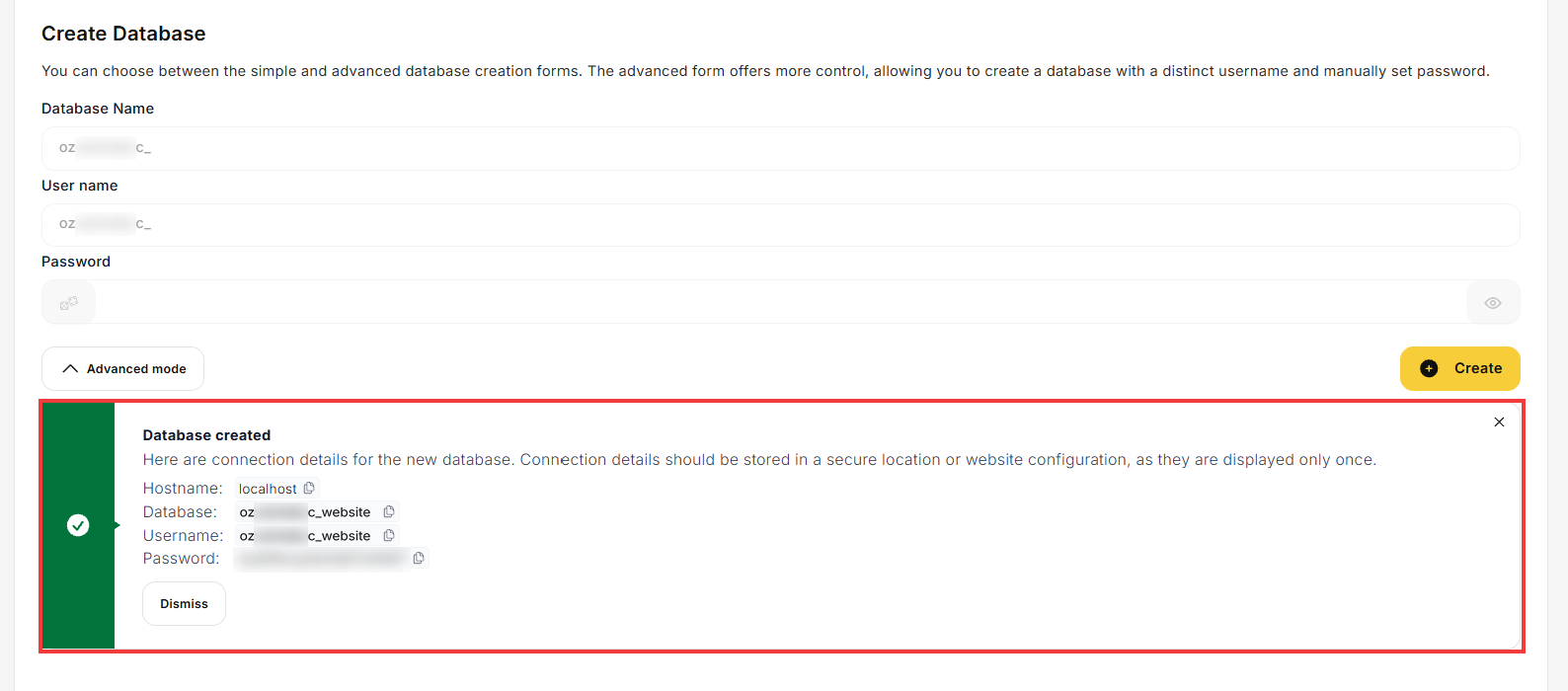
- The connection details of the new database appear: Hostname, Database, Username and Password. They are shown only once, so save them in a safe place – you will need them to configure your website.
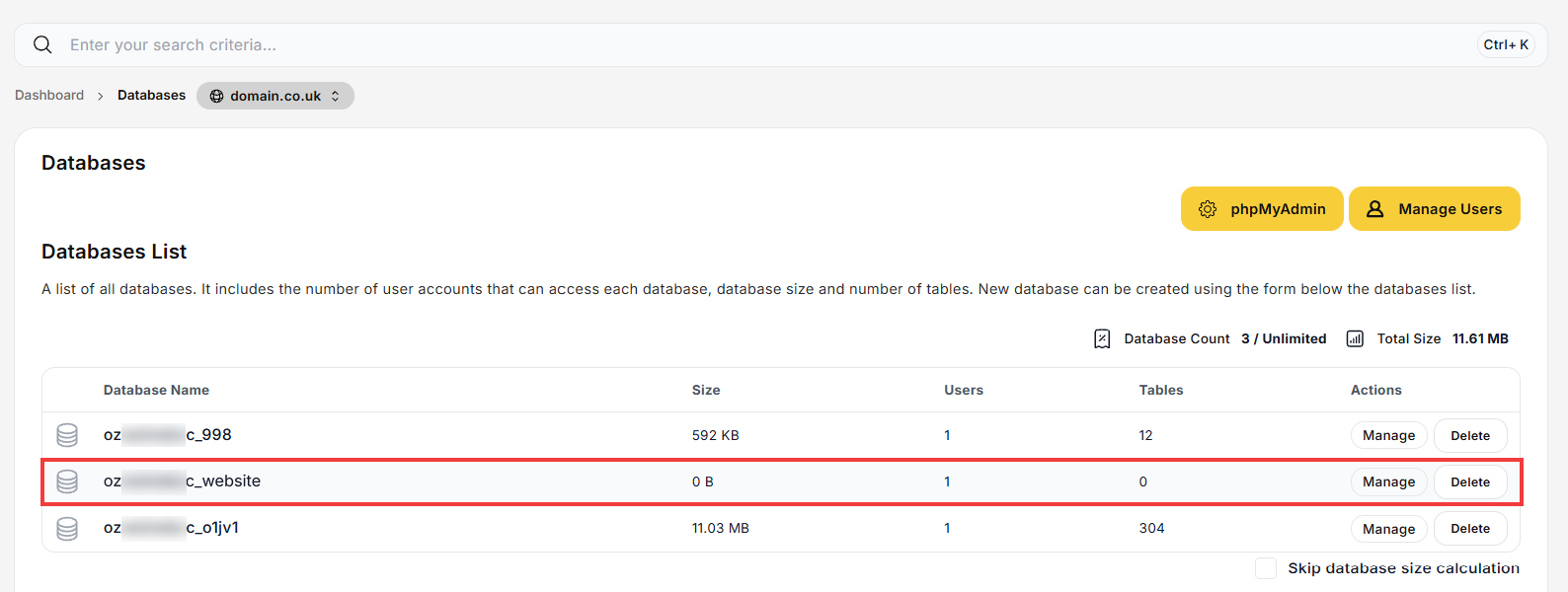
- The new database appears in the Databases List.
 Good to know! Once you are logged in to the panel, you can also ask our assistant robo_Folks for help – it can perform many operations for you.
Done! You can now use the database and its connection details in your website or application.
