


A URL redirect is useful if you want to send visitors from domain A to domain B.
To create a URL redirect:
- Log in to your hosting panel: Log in to your new hosting service
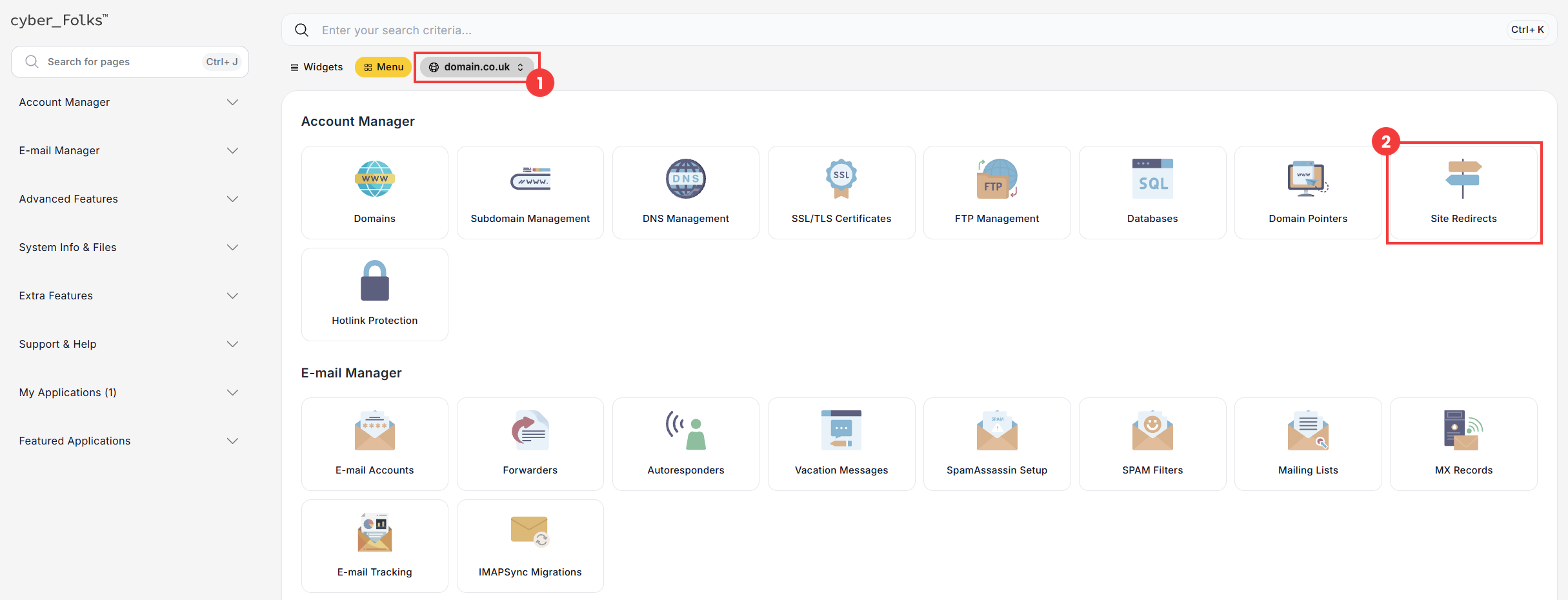
- If you have several domains, select the one in which you want to create the redirect from the list (1). Then click the Site Redirects option (2).
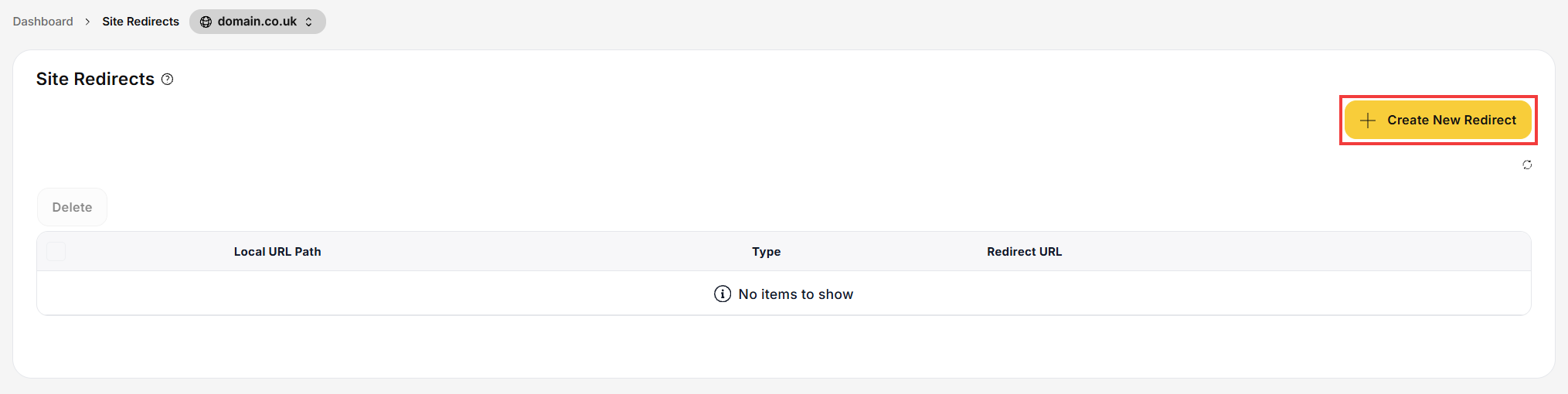
- On the next screen, click the Create New Redirect button.
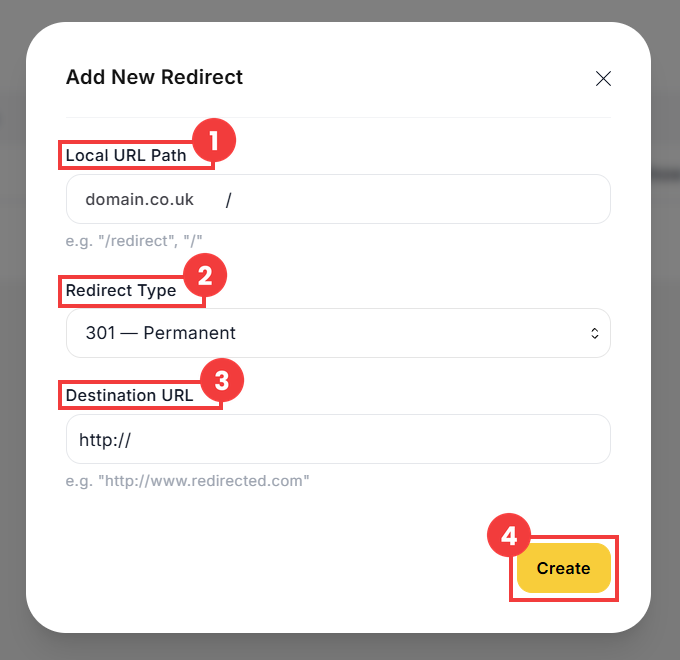
- The form for adding a URL redirect appears. Fill in the required fields:
- Confirm with the Create button (4).
 Good to know! Once you are logged in to the panel, you can also ask our assistant robo_Folks for help – it can perform many operations for you.
| Field | Description |
| 1 Local URL Path | If you want to redirect the whole domain, leave the default / character. |
| 2 Redirect Type | Three types are available. They work the same way for visitors, but they send different information to browsers and search engines: 301 — Permanent: a permanent redirect, e.g. after changing your website’s address or moving it to a new domain. 302 — Temporary: a temporary redirect, e.g. during maintenance work on the website or a short promotion. 303 — Replaced: a redirect to another address using the GET method, e.g. after a form is submitted, so that it is not sent again when the page is refreshed. |
| 3 Destination URL | Enter the address to which visitors will be redirected. |
Done! The redirect is active as soon as it is created.
