


By default, a domain’s website files are stored in its public_html folder. However, you can specify a different directory, for example a subfolder containing a new version of your website. Here is how to do it.
- Log in to your hosting panel: Log in to your new hosting service
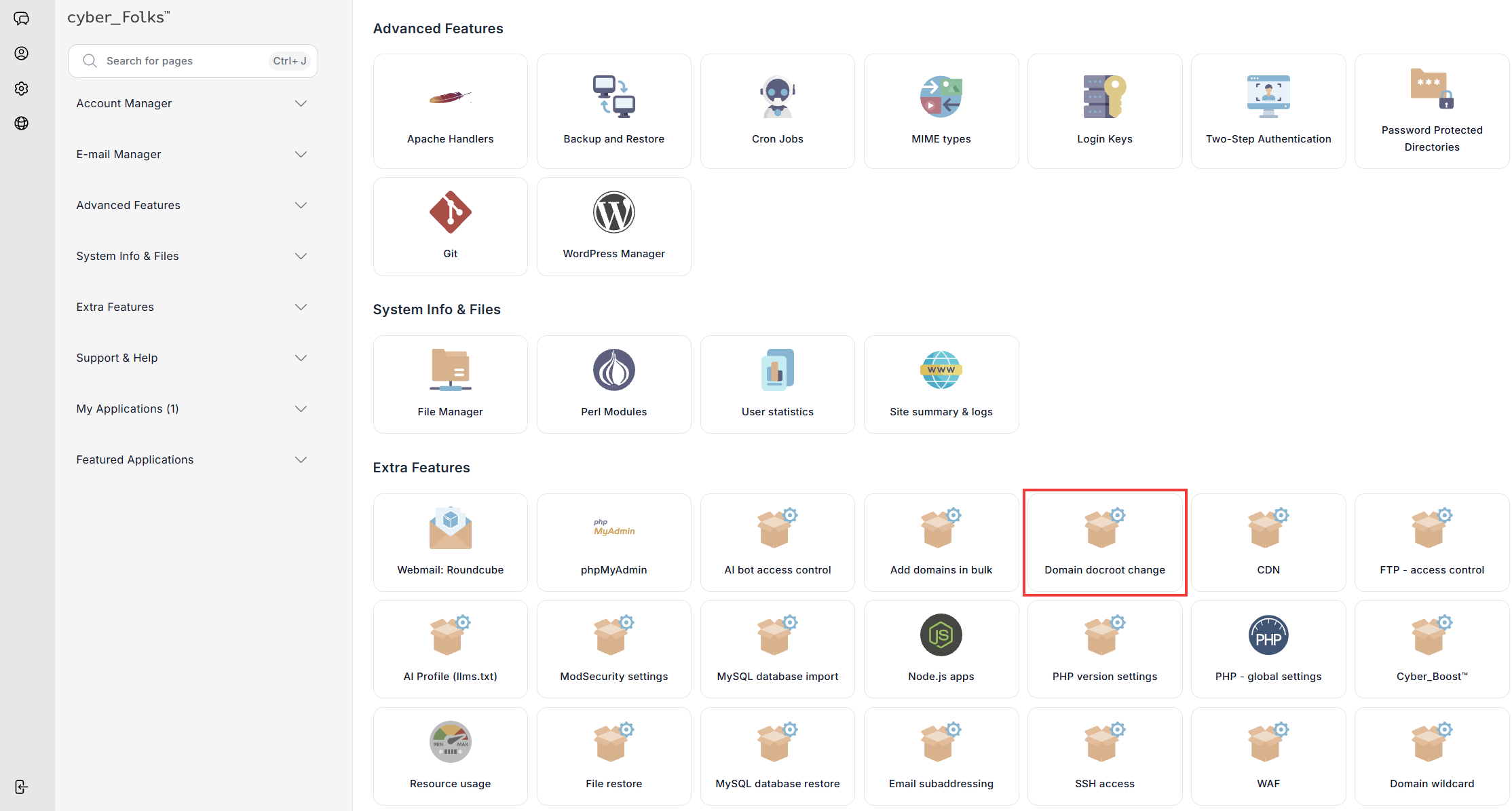
- In the Extra Features section, click the Domain docroot change option.
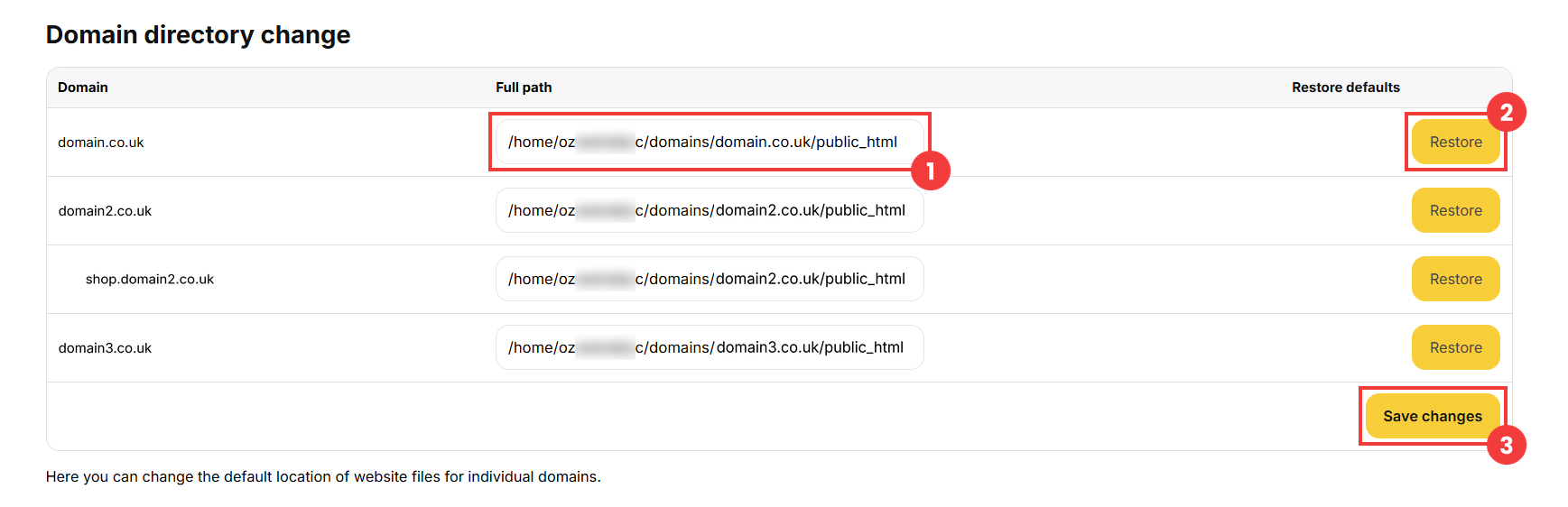
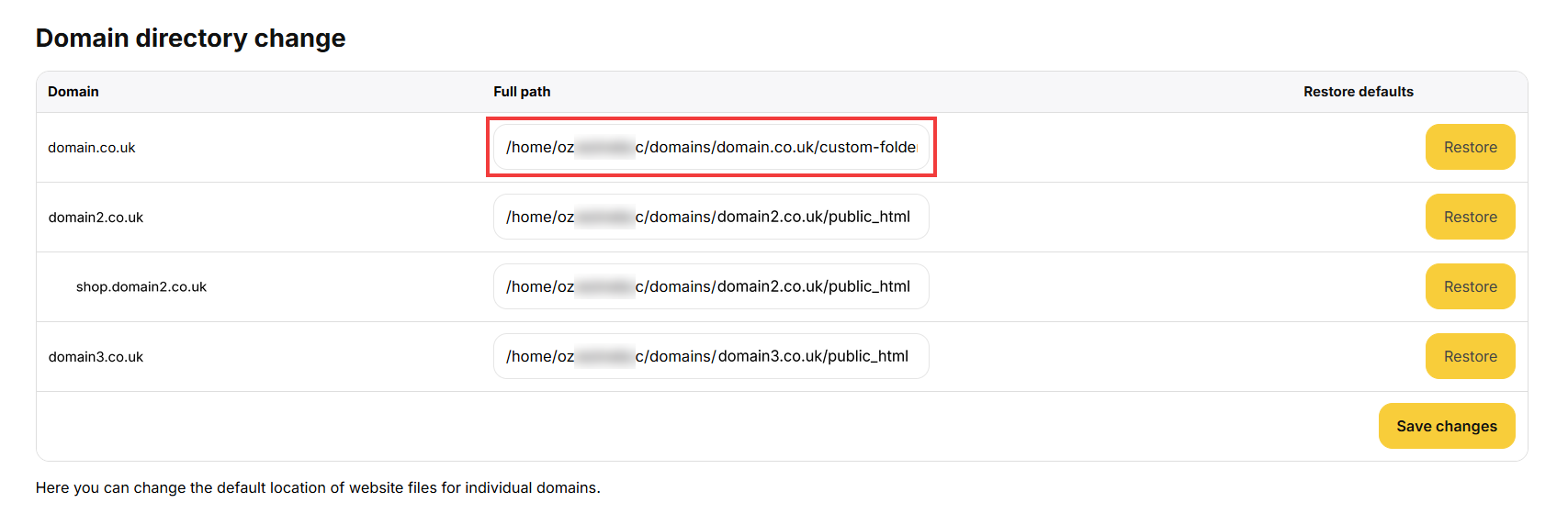
- A list of your domains appears. In the Full path field next to the domain (1), enter the path to the new directory, for example /home/username/domains/yourdomain.co.uk/custom-folder.
The Restore button (2) lets you go back to the default path at any time.
Save with the Save changes button (3). - Once saved, the new path appears in the list: the domain now uses the files from the specified directory.
 Good to know! Once you are logged in to the panel, you can also ask our assistant robo_Folks for help – it can perform many operations for you.
Note: make sure that the specified directory exists and contains your website files. Otherwise, the website will not display correctly.
