


The AuthInfo code (also known as a transfer code or EPP code) is required to transfer a domain to another registrar. Here is how to generate it in the Client Panel.
- Log in to your Client Panel: https://cyberfolks.com/client-login-panel/
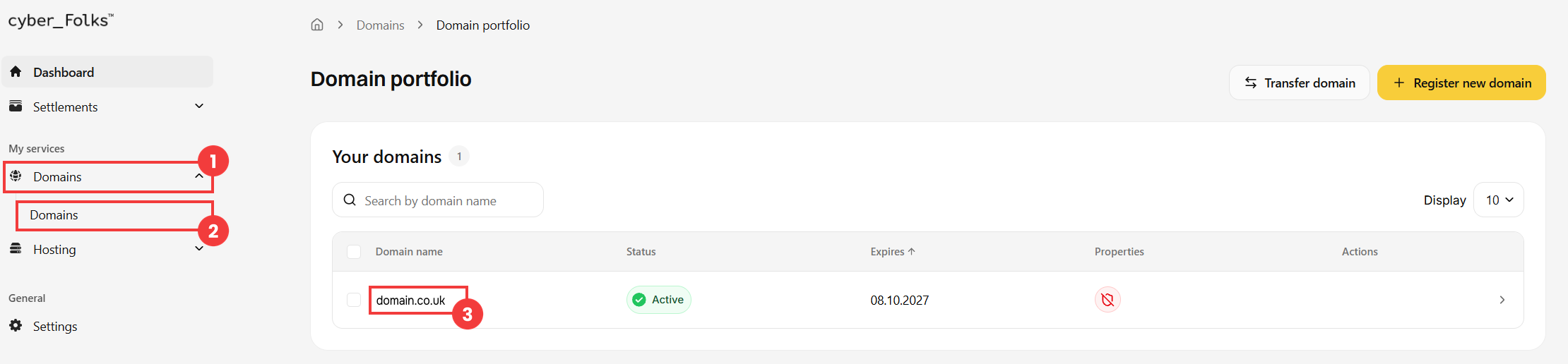
- In the left-hand menu, expand Domains (1), then click Domains (2). A list of your domains appears: click the name of the domain you want to get the code for (3).
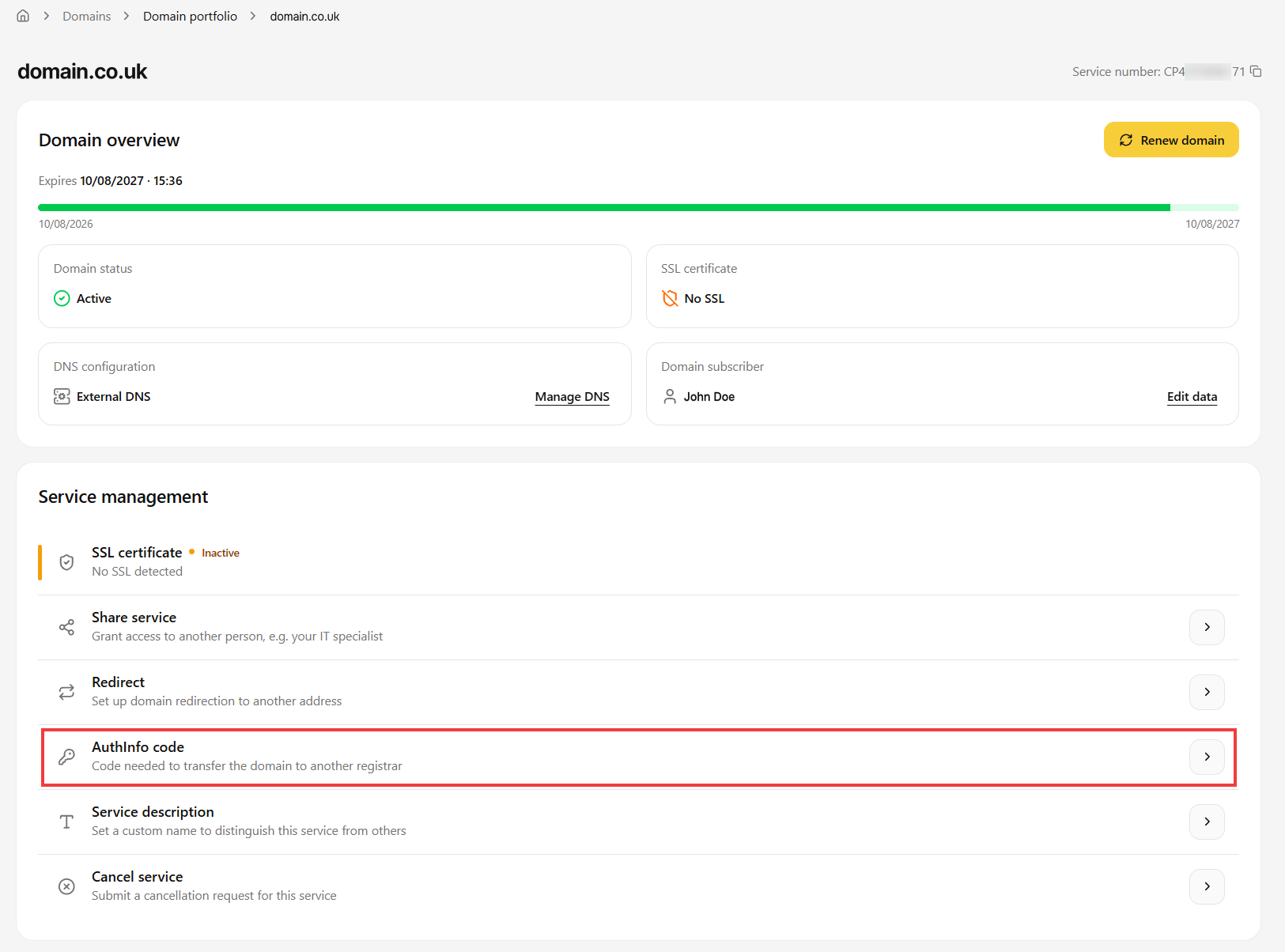
- In the Service management section, click AuthInfo code.
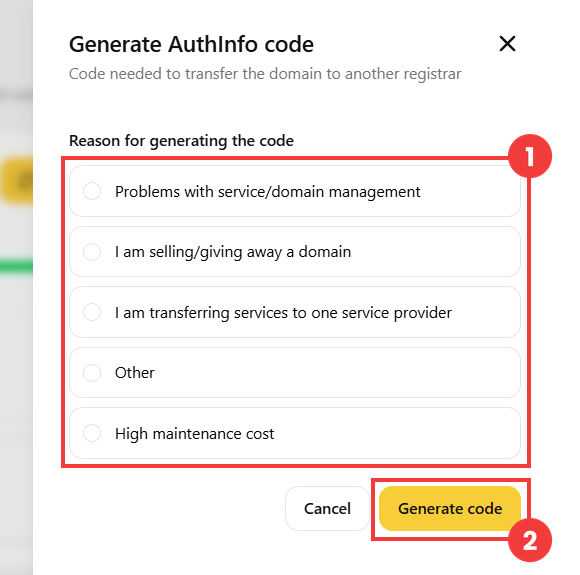
- Select the reason for generating the code (1), then click the Generate code button (2).
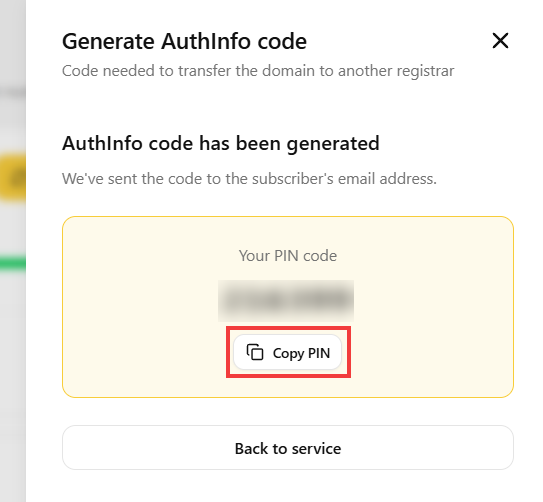
- The AuthInfo code is generated and shown in the window. It is also sent to the domain subscriber’s e-mail address. You can copy it with the Copy PIN button.
 Good to know! Once you are logged in to the Client Panel, you can also ask our assistant robo_Folks for help – it can perform many operations for you.
Done! Give this code to the new registrar to start the domain transfer.
